
How to identify low-value pages to delete or 301 redirect
Low-value pages usually have little traffic, no clear ranking potential, or overlap with stronger pages. In SEO Gets, you can spot them by looking for pages that are decaying, cannibalizing each other, or sitting in your index without earning meaningful clicks.
Before you delete anything, check whether the page has backlinks, conversions, or a useful replacement URL. If it does, redirect it instead of removing it outright.
What to look for
Pages with no clear purpose: thin pages, outdated posts, tag pages, or near-duplicates that do not serve a distinct search intent.
Pages competing with each other: multiple URLs ranking for the same terms. Start with How to find & resolve keyword cannibalization.
Pages losing visibility over time: URLs that have decayed and are no longer worth improving. See How to find pages that need updating or improving.
Indexed pages with little value: URLs that remain indexable but bring in little traffic or create clutter in your site architecture.
How to identify low-value pages in SEO Gets
In SEO Gets, you can use the page-level data to evaluate how a certain URL or set of URLs is performing. Alternatively, you can use one or more of our Optimize features, to find and isolate low-value pages quickly. Below, we'll show you how to do it both ways.
To find low-value pages in SEO Gets, navigate to the Optimize section to access the Keyword Cannibalization tool.
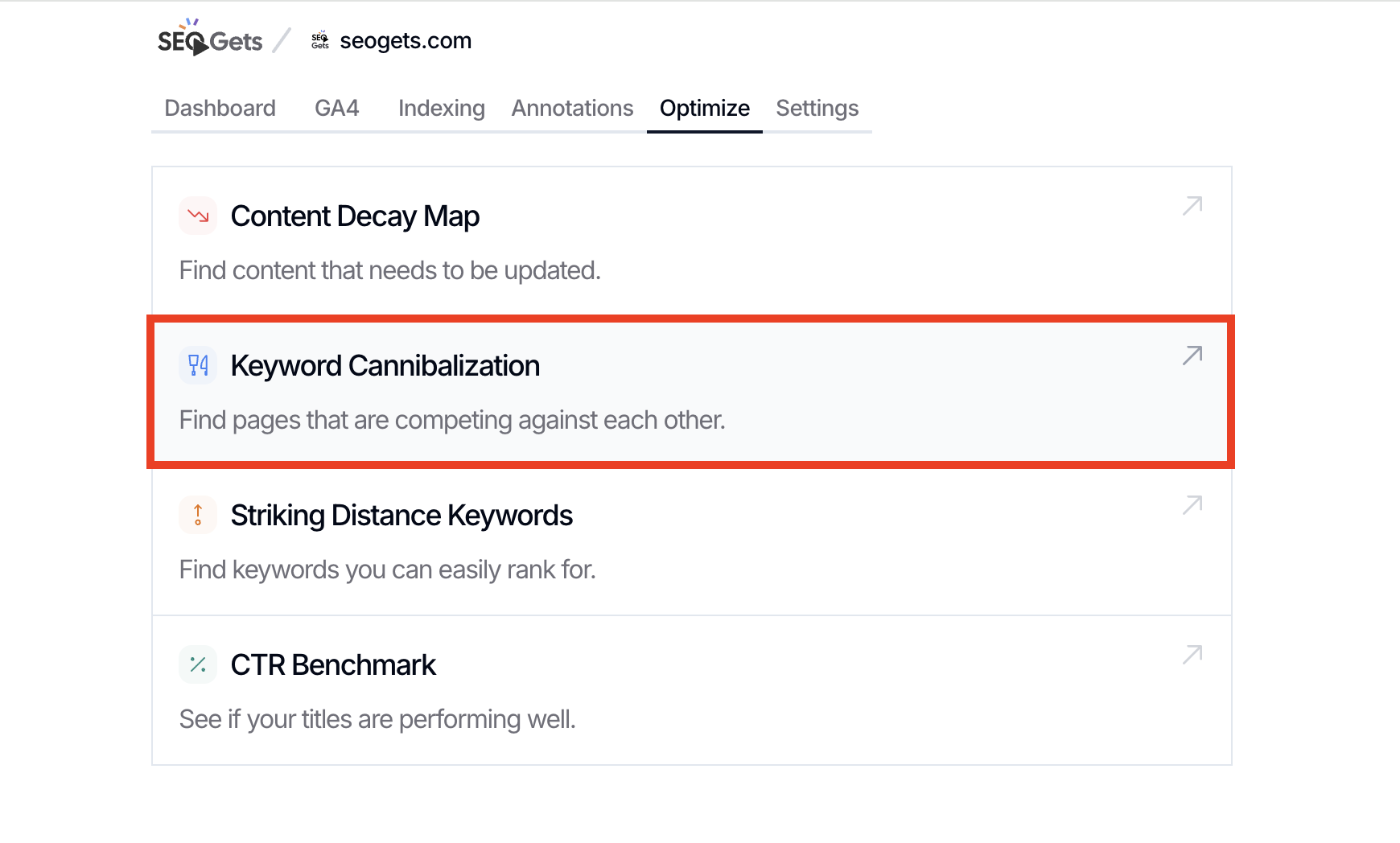
The Keyword Cannibalization reveals overlapping pages that are appearing in search for the same keyword. In most cases, one page is clearly weaker than the other or fails to serve a distinct purpose. If you find overlapping pages in this report, you should consider taking action to prevent the weaker page from negatively impacting the stronger page. This is also a great way to surface duplicate content that is negatively impacting SEO.

Use your best judgment when evaluating overlapping pages in the Keyword Cannibalization report. For example, if your homepage is included among the overlapping pages, you may not want to make significant updates as this could impact your brand messaging or ability to convert users from the homepage. However, if you see two pages with near-duplicate topics, you're safe to delete or merge (and redirect!).
Once you've identified the low-value pages, you can take action to improve the overall quality of your web content and SEO by doing any of the following:
Improve the page if the topic still matters and the page has unique value.
301 redirect the page if another live page is a better version of the same topic.
Delete the page if it has no value, no strong replacement, and no reason to stay indexed.
When two pages cover the same intent, keep the stronger one and redirect the weaker one. When a page is simply old but still useful, update it instead of removing it.
You can also use the default reporting tools in your site's SEO Gets dashboard to identify low-value pages. Here's a step-by-step guide:
Step 1: Create a value threshold or parameters to measure low-, medium-, and high-value pages. You should also consider when pages were published so you don't remove a page prematurely.
While every site will use different parameters to gauge success, a safe way to isolate low-value pages is to start by creating a cohort of pages that have earned 5 or fewer clicks in the past 6 months. These pages are essentially non-existent to your users and are failing to meet the quality or intent-match criteria imposed by Google.
Step 2: With your parameters set, look for URLs that fall below the threshold and create a group.
Step 3: Transfer URLs to a spreadsheet to catalog and assign directives and prioritization. You'll want to perform a number of checks to ensure that you're taking the right action with each URL. For example, you can:
Browse the content to gauge it's quality, relevancy, and freshness
Check whether those URLs overlap with stronger pages targeting the same topic
Review whether there are valuable insights or takeaways buried in the content that can be repurposed elsewhere or in different channels
Step 4: Execute updates, deletions, and redirects
Need help getting started? Send us an in-app chat to schedule a demo of SEO Gets and learn more about how top SEOs use our tool to streamline their workflows and maintain strong site hygiene.