
Detect decaying content before it's too late
Use SEO Gets to spot content decay early, so you can refresh the right pages before rankings fall, traffic slips, or pages are de-indexed altogether.
This workflow is for pages that still matter and still have recovery potential. If a page no longer supports your strategy, use a different workflow to decide whether it should be redirected or removed.
What "decaying content" means in SEO Gets
In SEO Gets, decaying content is content that exhibits signs of diminishing performance over time. Decaying content can typically be identified by telltale signs, including:
Reduced impressions
Reduced clicks
Position loss
This matters because decaying pages represent a potentially easier "win" than producing brand-new content. The page already has search history, some authority, and a track record you can improve on. If you catch the drop early, a focused update can recover performance faster than starting from zero.
Where to find early warning signs
Open Optimize → Content Decay Map.
Start with the Decaying Pages That May Need Refreshing table at the top of the report.
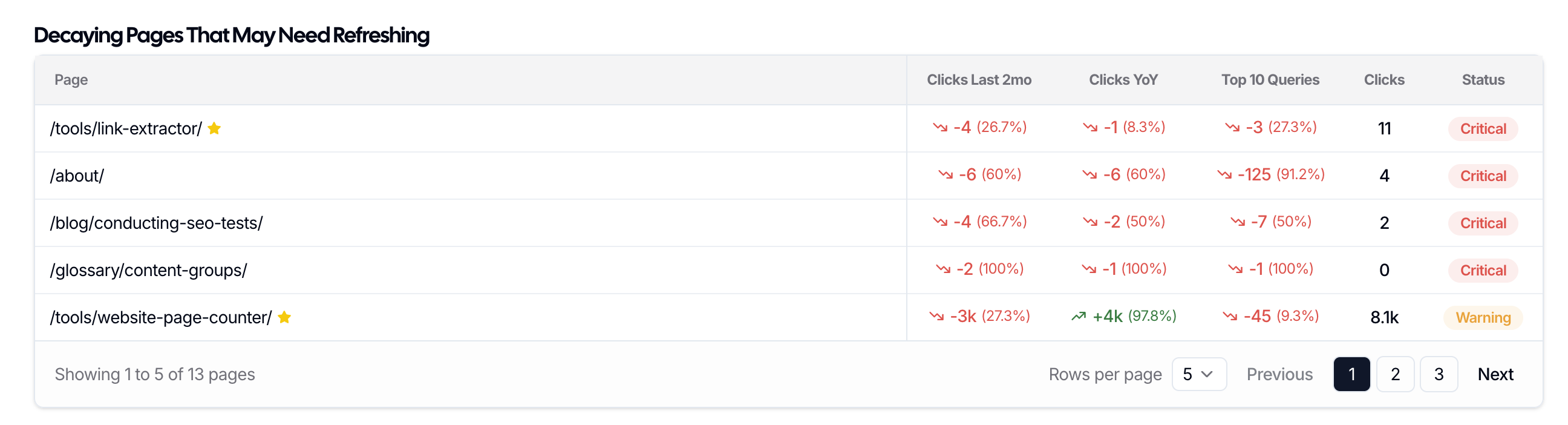
Start with the built-in table of pages that already show signs of decay and may need refreshing. Review the pages already surfaced there before digging deeper into the heatmap.
This table gives you a practical starting point because it pulls likely refresh opportunities to the surface right away. Instead of scanning your whole site manually, you can begin with URLs that already need attention.
How to use the content decay heatmap
After reviewing the Decaying Pages That May Need Refreshing table, keep working in the Content Decay Map.
Adjust the date range to match the period you want to analyze.
Use filters like Top 10/20, People Also Ask, and Long Tail Keywords to narrow the view.
Toggle between clicks and impressions depending on what kind of loss you want to spot.
Set the threshold so you can see a good range of color variation across the table.
Look across each URL’s row. When the blue shade gets lighter over time, that page is showing decay.
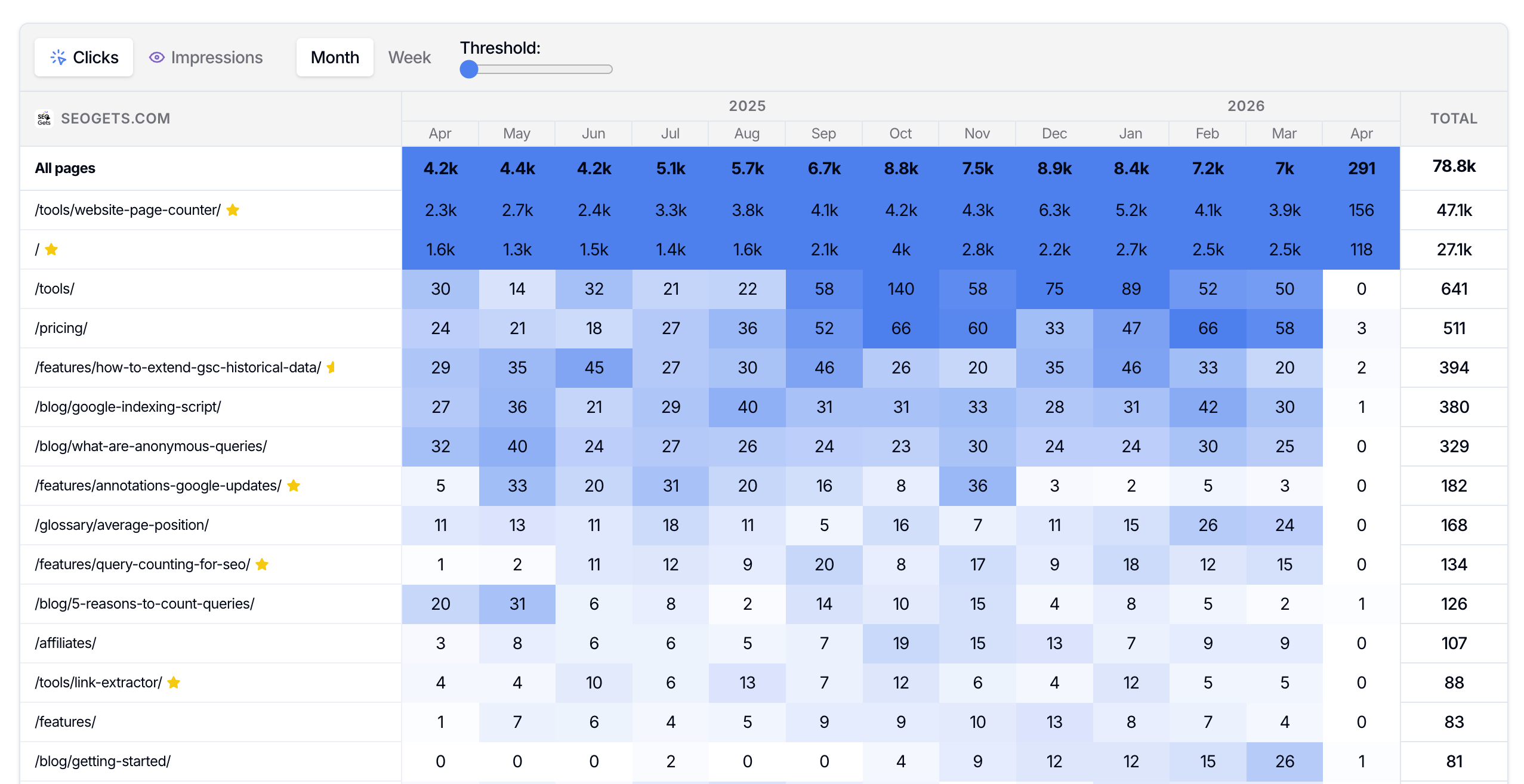
When the blue shade lightens across a row, the page is losing momentum and may need a refresh.
Clicks are the best place to start if you want to catch pages already losing traffic. Impressions are helpful when you want to catch weakening visibility early before the traffic drop becomes more obvious.
How to tell if a page needs action now
A decaying page is more urgent when:
It used to perform well has lost impact.
It supports an important topic, service, or business goal.
It still ranks closely enough that a refresh could recover visibility.
The search demand still looks worth pursuing.
If a page is declining but no longer deserves to stay live, don't force a refresh. Use How to identify low-value pages to delete or 301 redirect instead.
You can use Index Reporting (in the Indexing tab), to quickly identify pages at risk of de-indexing. This is another sign that a page needs action now (unless the page at risk isn't valuable).
Validate the opportunity before you refresh
Decay tells you that a page is slipping. It doesn't always tell you why. Before you update anything, confirm the best next move.
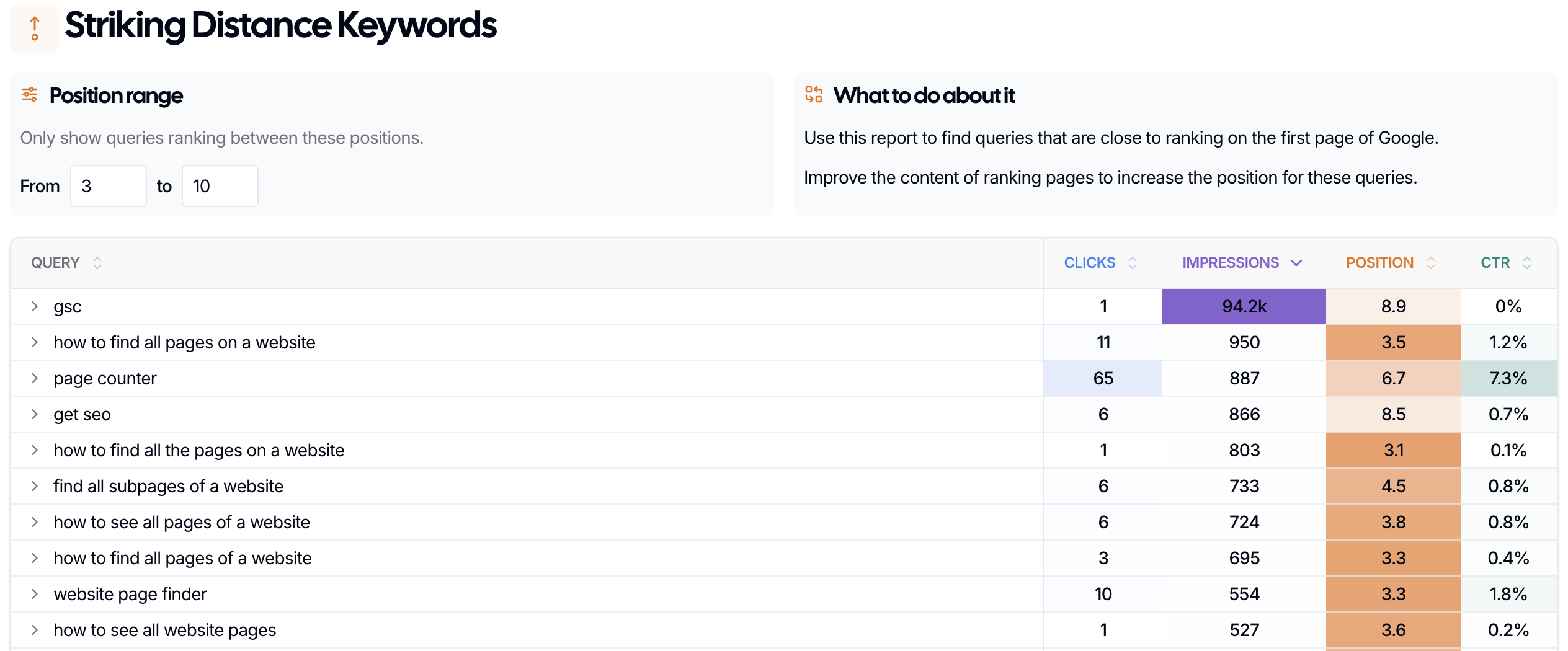
Check Striking Distance Keywords
Open Striking Distance Keywords to see whether the page is still close to stronger rankings. If it is, that’s a strong sign that a focused update could help it recover.
Check Keyword Cannibalization
Open Keyword Cannibalization if you suspect more than one page is competing for the same query. Sometimes a page looks like it's decaying when the real issue is overlap between your own URLs.
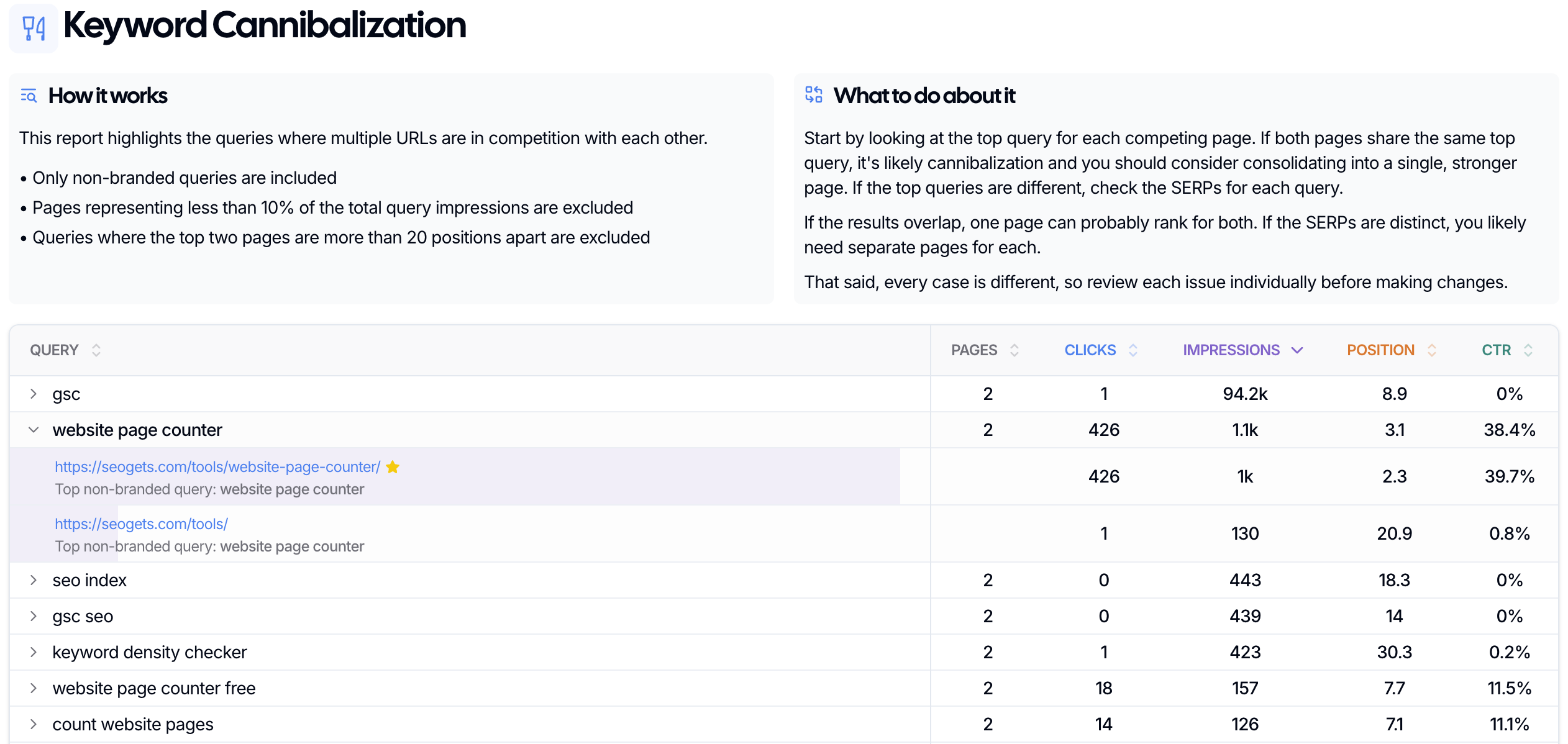
Using these reports together helps you avoid the two biggest mistakes: refreshing the wrong page or creating new content when an existing page could still recover.
A simple decision framework
Refresh the page when it still matches the query and just needs a better version.
Optimize around striking distance when the page is close to stronger rankings and needs focused improvements.
Resolve cannibalization first when multiple pages are splitting visibility for the same query.
Redirect or remove the page when it no longer supports your goals.
The goal is to catch the right pages early enough that a smart update still has leverage.
What to do next
Use How to use striking distance keywords and SERP overlap to decide: optimize or create new? to confirm whether a refresh is the right move.
Use How to find & resolve keyword cannibalization if overlapping pages may be the real issue.
Use How to identify low-value pages to delete or 301 redirect for pages that aren't worth refreshing.