
How to find & resolve keyword cannibalization
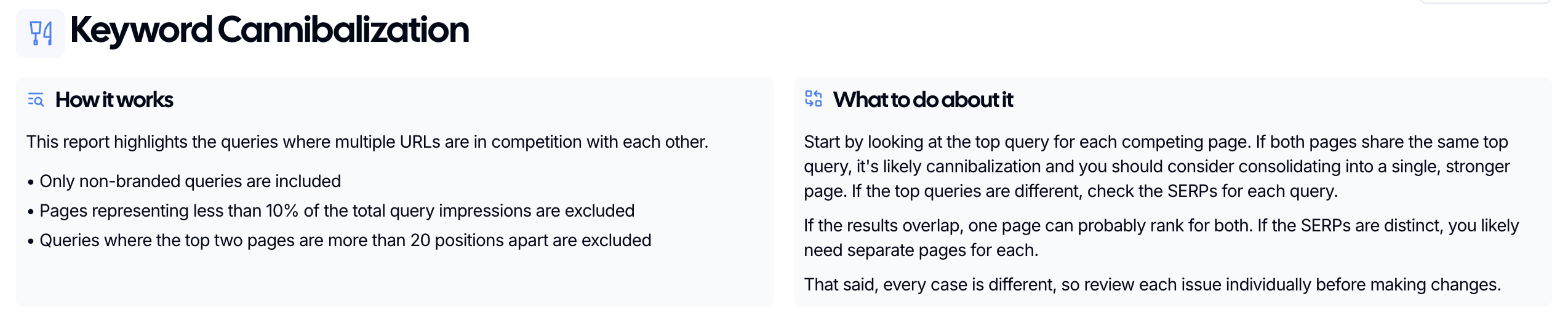
Use the Keyword Cannibalization report when more than one page is competing for the same query. It helps you spot overlap fast, pick the page you want to rank, and decide what to fix next.
It's common for sites to experience keyword cannibalization as they age. On average, ~2% of keywords are cannibalized during the first year of a website's life. After 10+ years, that number can increase to ~15% if keyword cannibalization isn't managed actively.
What is keyword cannibalization?
Keyword cannibalization is a widespread issue in the world of optimized content. For years, Google rewarded websites for generating large libraries of content targeting individual keywords, but, over time, Google got smarter with semantic search, which aimed to understand the contextual meaning and intent behind a user's query rather than just matching specific keywords.
As a result, websites started to experience contraction in organic growth because pages with topical overlap started to compete with each other. Thus, the concept of keyword cannibalization was born:
Keyword cannibalization occurs when two or more pages on the same website compete for the same keyword or search query, causing search engines to split ranking signals between them rather than consolidating authority on a single, stronger page. The result is that neither page performs as well as it could — and in some cases, the wrong page ends up ranking.
How to find keyword cannibalization in SEO Gets
Open the Keyword Cannibalization report in SEO Gets.
Look for queries with multiple ranking URLs or priority queries.
Select a query to review the competing pages side by side.
Check which page best matches the search intent and should be the main result.

How to resolve it
Determine which page you want to keep as the main result
Example: In the above image, we have determined that we want https://seogets.com/features/keyword-cannibalization-tool/ to be our main result because it is more relevant to the query than our homepage.
Perform one of the following updates:
If the pages are similar and serve the same purpose → consolidate overlapping content into a single page and redirect the defunct URL to the primary URL
If one page no longer needs to exist → redirect the weaker page to the stronger page
If both should stay live but need clearly different intent → re-optimize and update one of the pages.
Update relevant internal links so they point to the page you want to rank.
The goal is simple: one clear page for one clear intent. When each page has a distinct job, search engines have fewer mixed signals and your rankings are easier to grow.
In our example, the SEO Gets homepage is outperforming the feature page for a query that is clearly feature-focused. Can you guess which of the three updates is best for this scenario? Hint: You should never consolidate or redirect your homepage to a subpage.