
How to filter for long-tail and LLM queries
SEO Gets can surface long-tail and conversational search terms without leaving the dashboard. Use the built-in long-tail filter for a quick view, then switch to regex when you want to catch specific LLM-style phrasing like questions, comparisons, or prompt-like searches.
If you’re new to the dashboard layout, start with Getting Started with SEO Gets to access our Quickstart Guide.
Use the built-in long-tail filter
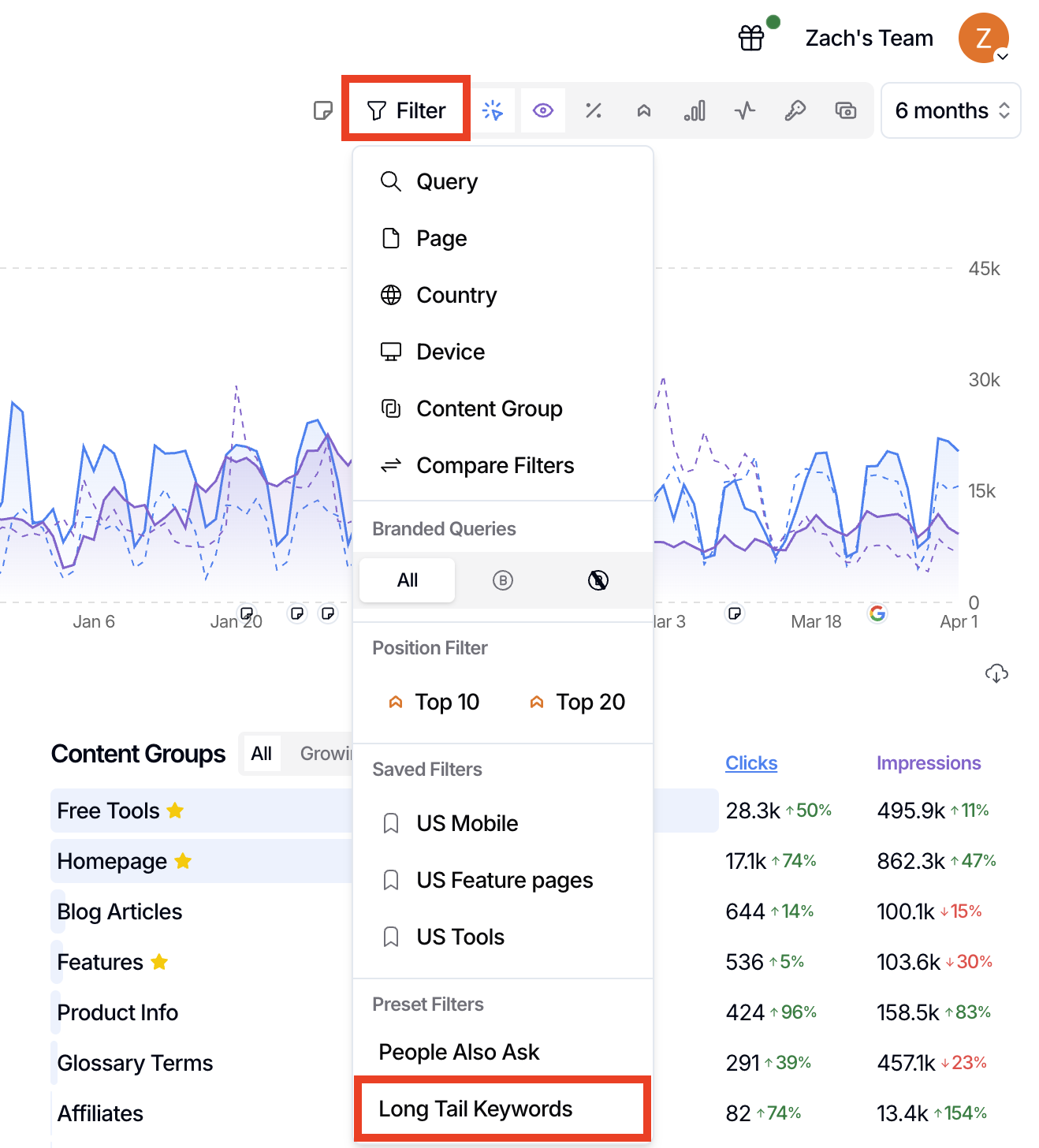
The fastest option is the built-in long-tail filter in the main dashboard filter bar.
Open the site you want to analyze in SEO Gets.
Use the filter bar at the top of the report.
Select the Long Tail Keywords filter.
Review the remaining queries to find more specific, lower-volume searches.
Create a custom Regex filter for LLM-style queries
Regex lets you match patterns in queries. It’s useful when you want to find searches that sound more conversational, like the kinds of prompts people type into AI tools.
Open the filter bar in your report.
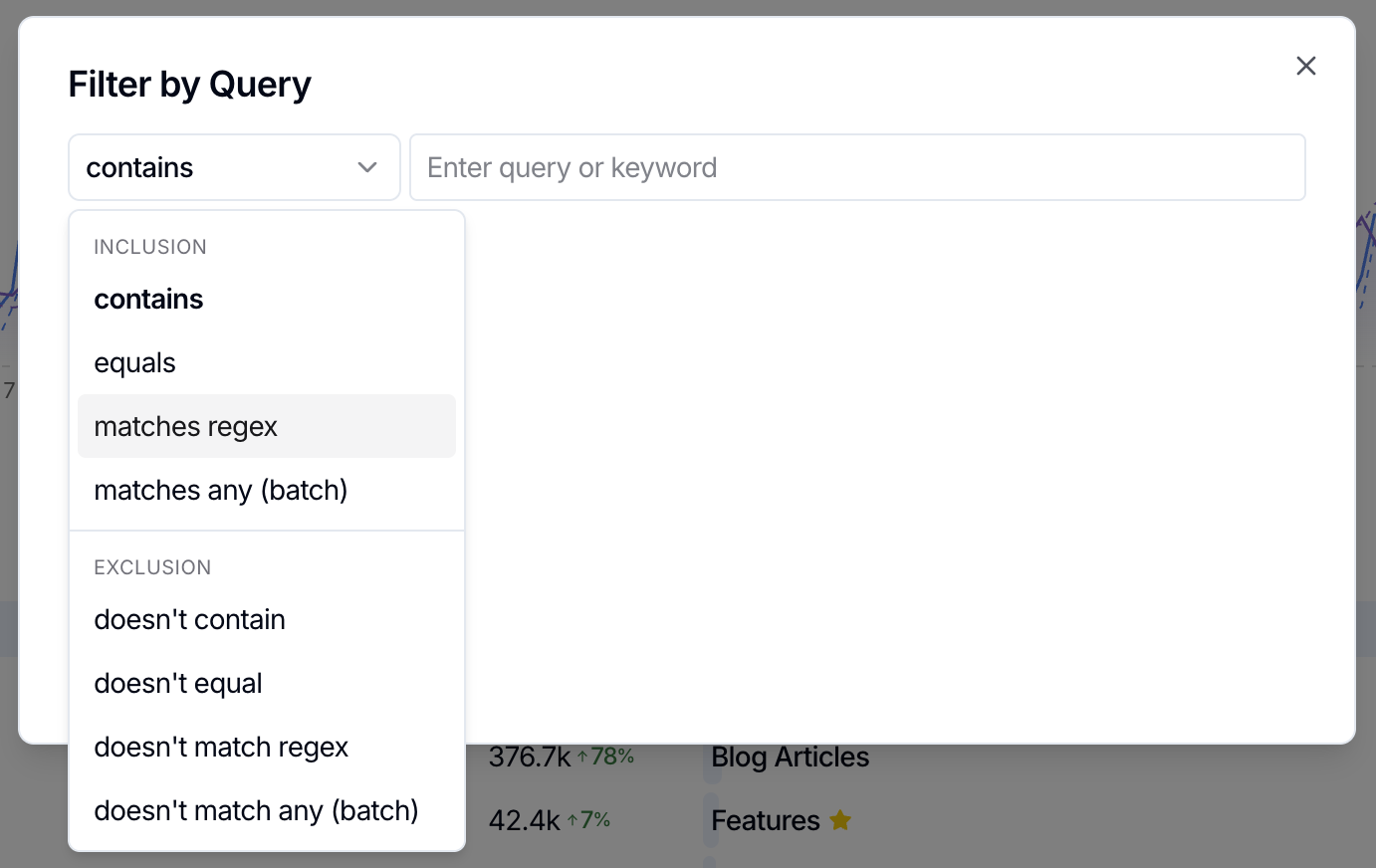
Choose Query as the filter type.
Toggle the filter type to one of the regex options
Input or paste a pattern that matches the query style you want to find.
Apply the filter and review the matching queries.
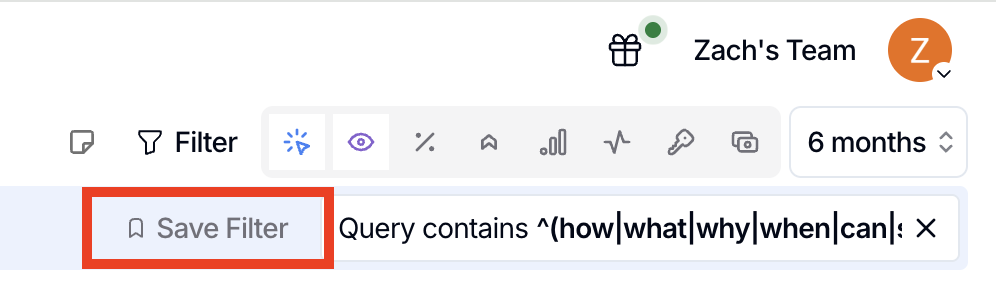
Save the filter if you want to reuse it later.
Try patterns like these:
^(how|what|why|when|can|should|is|does)\bto find question-led queries\b(best|top|vs|versus|compare|alternative|alternatives)\bto find comparison and evaluation searches\bfor\b.*\b(in|with|without|near|using)\bto find more detailed modifier-heavy phrases\b(chatgpt|ai|llm|assistant|prompt)\bto find explicit AI-related searches
Start simple. If your pattern is too broad, tighten it by adding fewer terms or anchoring it to the start of the query.
What to look for
Once the filter is applied, look for queries that signal clear intent:
Question-based searches you can answer with new content
Comparison terms that suggest evaluation-stage traffic
Long, specific phrases that reveal niche use cases
AI or LLM wording that shows how search behavior is changing in your space
These patterns are useful for content briefs, FAQ ideas, and spotting pages that should target the specific needs of your ICP.
What’s next
After you’ve isolated long-tail queries, compare them against your branded and non-branded traffic to understand where new discovery is happening. If you haven’t set that up yet, follow Getting Started with SEO Gets to configure your first site and dashboard filters.