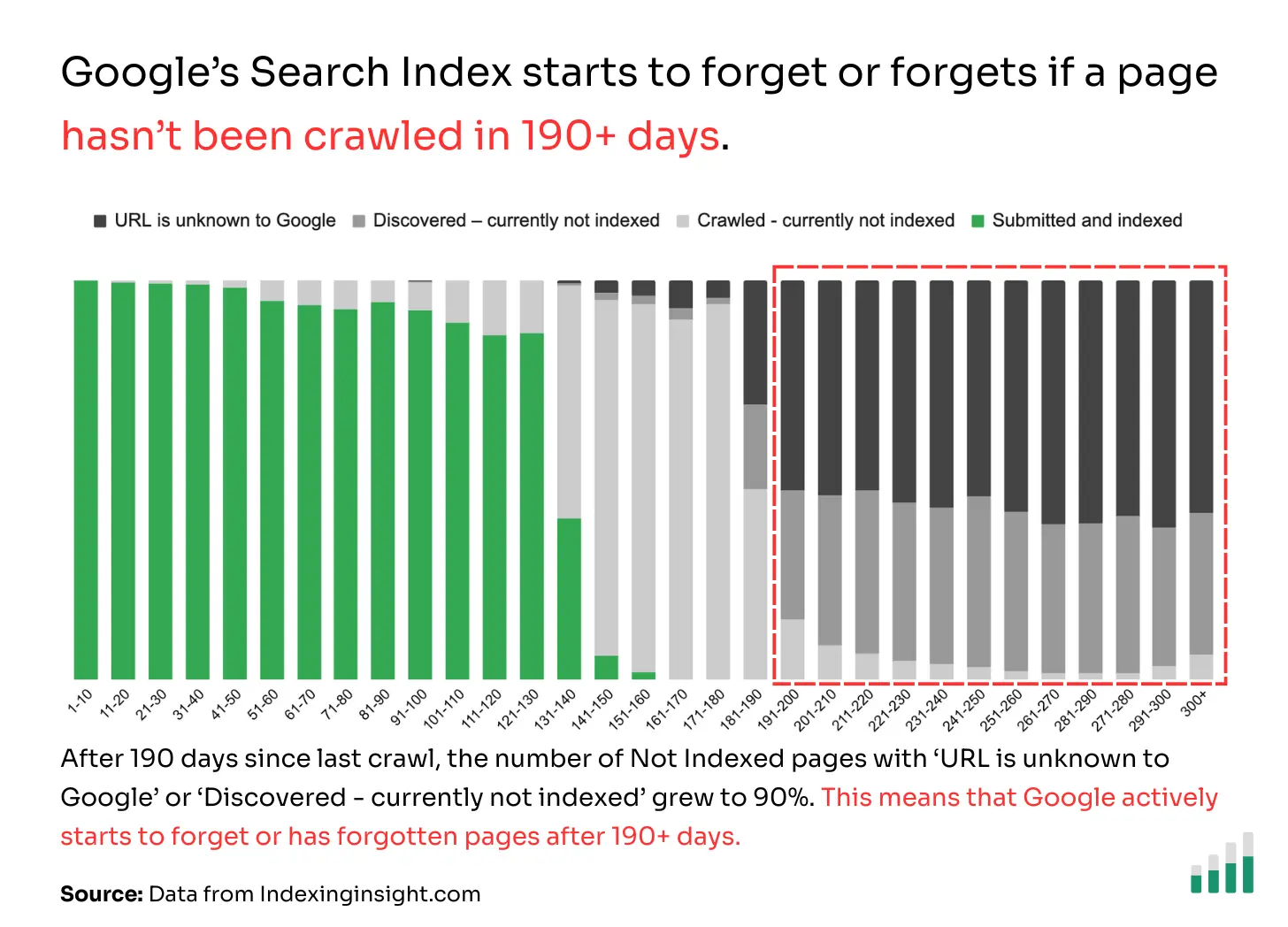
Added a filter to our indexing report that lets you see all pages with a last crawl date of 90 days or more. Once your last crawl date is 130 days or more, your chance of indexing drops by over 50%.

All the latest updates, improvements, and fixes to SEO Gets.
Added a filter to our indexing report that lets you see all pages with a last crawl date of 90 days or more. Once your last crawl date is 130 days or more, your chance of indexing drops by over 50%.

UI/UX update for content decay heatmap report. Makes seeing the url much easier & using the tooltips.
Improved UI/UX for Keyword Cannibalization to find issues more easily. Also added the top non-branded query for each page to see if there is overlap in SERPs.
Improved the UI/UX for the striking distance report. Added the ability to view the top non-branded query for each page as well to understand if you need to optimize the current page or create a new page for the query.
Added a table for GA4 key events.
Improved sorting UI to make managing the master dashboard easier.
Improved our settings menu and navigation to easily manage your team, connect multiple Google accounts, and manage Super Sites.
When you click to view the SERP results for a query, we automatically show non-personalized results.
We’ve made a handful of huge updates to make the index reporting even easier to find high-priority fixes.
We’ve added a source/medium table on the performance report when you have a GA4 metric selected.
We added GA4 data to our exports.
Some of you have noticed what appears to be discrepancies between SEO Gets and GA4. The data is actually 1:1, but the way we present data is designed to give you the most accurate view of your organic performance.
For a full explanation, watch this explainer video.
Also, we will have a source/medium table coming soon to show where the sessions are coming from.
Holy Smokes! GA4 is now live!! 🔥
This is a V1.1 release, with many upgrades coming in the next few weeks (source/medium table, key events, and a separate GA4 dashboard, etc).
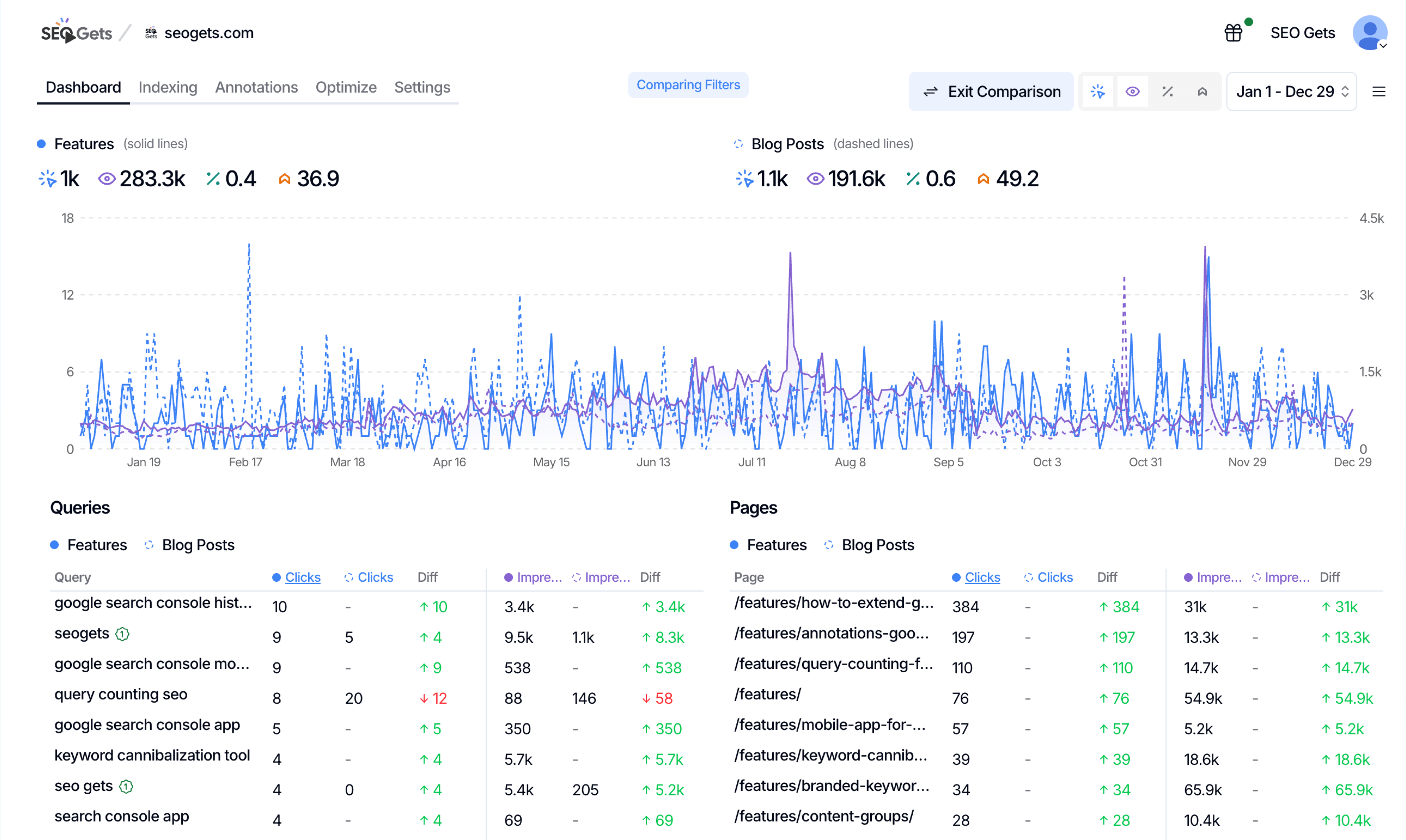
You can now compare any two filters side-by-side directly in your dashboard.
How it works: Click the Filter icon, then select “Compare.”
Choose your first filter (solid lines) and second filter (dashed lines) from any combination of:
Why this beats GSC: Google Search Console only lets you compare the same filter type (query vs query, page vs page). SEO Gets lets you compare anything against anything – your blog content group vs mobile traffic, a topic cluster vs a saved regex filter, whatever you need.

We’ve rolled out two big improvements to how filter presets work in SEO Gets.
You now have control over where your saved filters live:
User-Level Presets – Save a filter once, use it everywhere. Your preset will appear across your master dashboard and every property in your account. Perfect for regex patterns you use constantly (like branded/non-branded filters or question queries).
Property-Level Presets – Save a filter to a specific property only. Ideal for site-specific filters like custom brand misspellings, product categories, or location-based patterns that only make sense for one site.
You asked, we delivered. You can now edit filter presets after saving them.
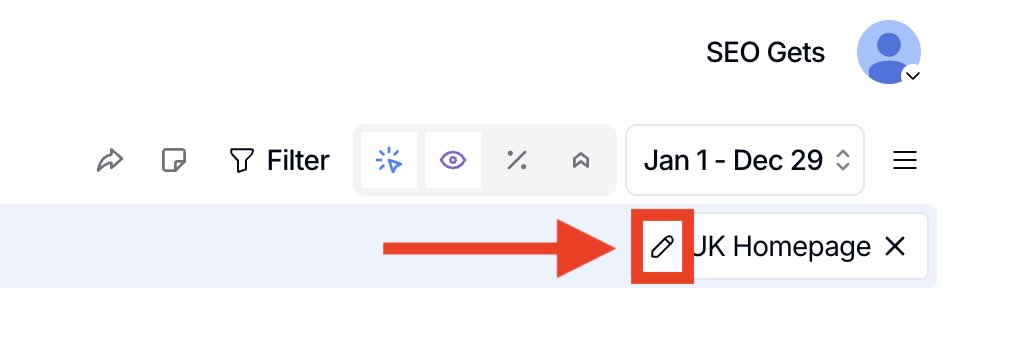
To edit a saved filter:
We’ve also created a blog of some of the best regexs you can save as presets. Check it out here.
Dark Mode. Nuff said. 🤝
We’ve built a new Chrome extension that instantly allows you to access page and domain data for sites you manage, plus add annotations on the fly – all without leaving your current tab.
Thank you to our publishers for your patience! We’re pleased to announce that you can now view your Discover traffic in SEO Gets. Available in the source hamburger menu.
Super sites now have a limit of 5,000 pages for index reporting per super site.
We’re making this change for two key reasons that will benefit most of our users:
A new settings UI is available that allows you to select exactly which sitemaps and pages you want to track. This is available in the property settings below the shared link section.
If you need to track more than 5,000 pages, you can add additional super sites for individual subfolders or subdomains, each with its own 5k limit.
Important: This change only affects index reporting. Extended storage remains unlimited and unaffected.
You can now toggle between displaying the change in % or the total delta change.
We’ve added a toggle that lets you choose whether to align days of the week between your selected period and the comparison period (e.g., compare Monday to Monday, Tuesday to Tuesday).
We’ve added comprehensive team functionality to SEO Gets:
Learn more:
We’ve improved our one-click setup:
Coming soon: Our next update will let you add to existing Content Groups and Topic Clusters instead of starting over from scratch.
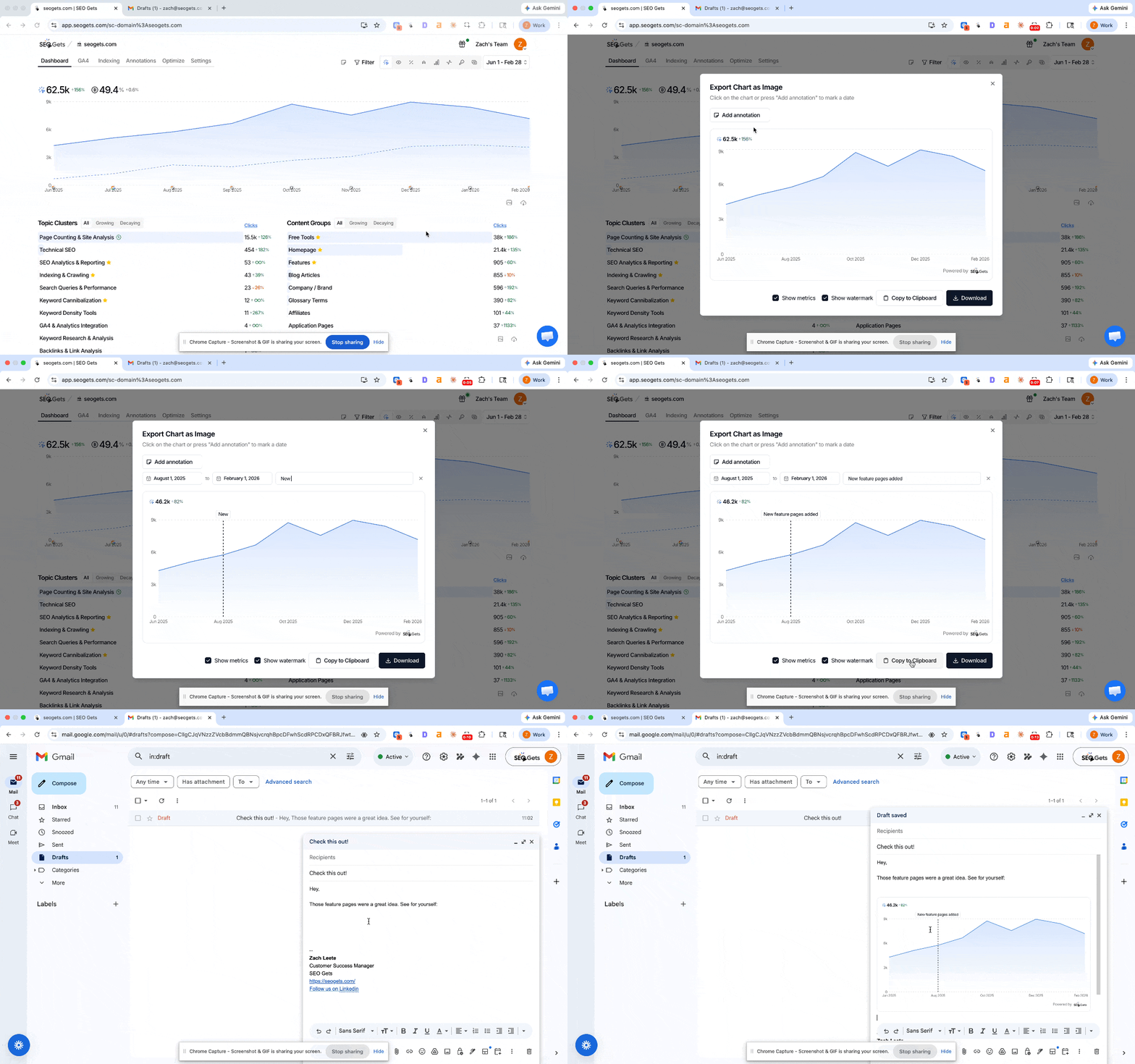
New icons on the performance page make it easier to share the magic link and add annotations.
Made a few improvements to our tagging system that should make tagging MUCH easier.
We have added a new alert to our index reporting emails for pages that have been recently added to your sitemap, but have not been indexed yet.
We’ve made some improvements to our Query Counting feature. Allows for easy toggling of ranking and the ability to view the data stacked or non-stacked.
We’ve added the ability to filter by rank for all Super Sites.
Why this matters: This helps you analyze trends more consistently, especially for data prior to Google’s pagination update on September 12, 2025 (when they changed from &=100).


Super Sites only
This filter is only available for domains with the Super Sites add-on due to GSC API restrictions.
Non-anonymized queries only
The filter displays non-anonymized queries only, since that’s how we calculate average ranking.
Daily-level filtering
Filtering uses average rank at the daily level. For example: if a query ranks position 6 on day 1 and position 100 on day 2, only day 1’s stats are included—even though the two-day average is 53.
You can now identify and track your branded keywords, topic clusters, and content groups in one click.
This is V1. The setup button will only appear if you don’t have any branded keywords, topic clusters, or content groups for that property.
We have improvements coming soon that will allow you to edit the targeting in the window, as well as add to the Topic Clusters and Content Groups you already have.
As requested, you can now sort by status, last crawl, rich results, and last inspection on the index reporting.
You should also be receiving index reporting updates via email on Monday mornings. If you’re not, please let us know.
Indexing is one of the most underrated and important aspects of SEO. Without pages being indexed, you will never show up in the SERPs or in LLMs.
So, we built one of the best indexing tools on the market.
Index Reporting is included with Super Sites ($10/month per site) - previously known as Extended Storage. Super Sites members also get 5 years of historical data and removal of GSC API limitations.
Filter presets are now available at the property level for paid accounts.
We plan on adding user-level filter presets as well, which will let you use the same presets across all your websites.
We’ve updated the UI/UX for the master tagging feature. This allows you to rearrange the tag order and to select multiple sites for the tag at once.
Just when you thought our free tier couldn’t get better… You can now invite team members on the free tier. Just go to your account page and invite your team.
You can filter on the annotations tab by:
We’ve added the ability to filter by device.
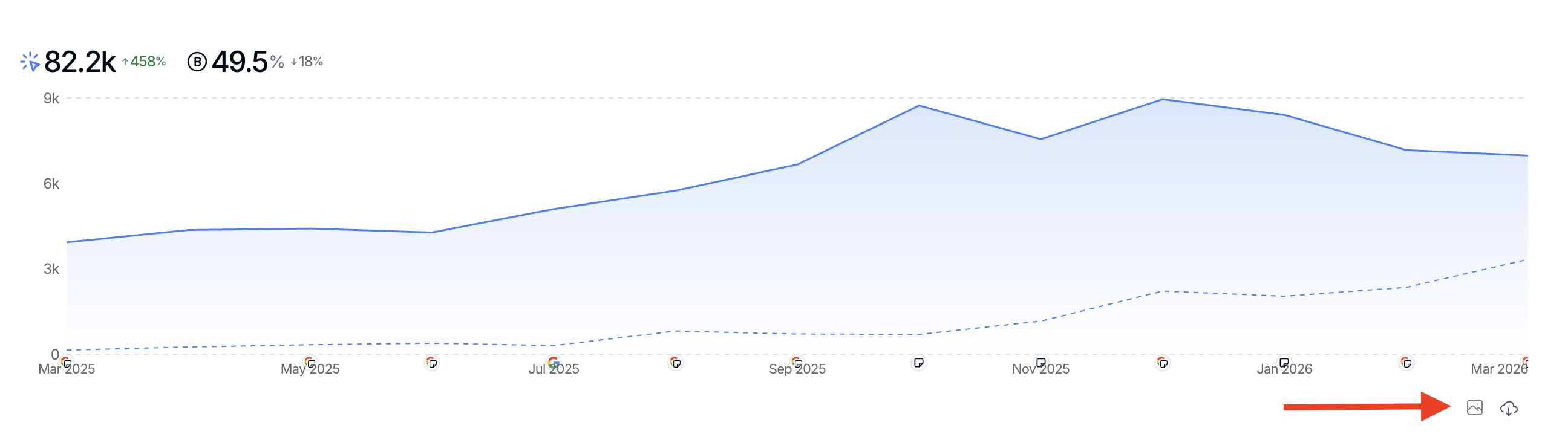
We’ve added the ability to add annotations with a single click on the performance graph.
When you share or embed your magic links, they will no longer have any SEO Gets branding in the header or footer. Perfect for embedding directly into your website or for your own reporting tool of choice.
You can now filter multiple queries or pages as an “OR” condition - one of our most requested updates!
You can select multiple queries or pages by:
This enhanced filtering capability works with both standard filters and our Topic Clusters and Content Groups.
We’ve removed the 1,000 click limitation from our free tier, making SEO Gets arguably the most powerful free Google Search Console tool available. 🤩
Read the full press release for complete details on our updated pricing structure.
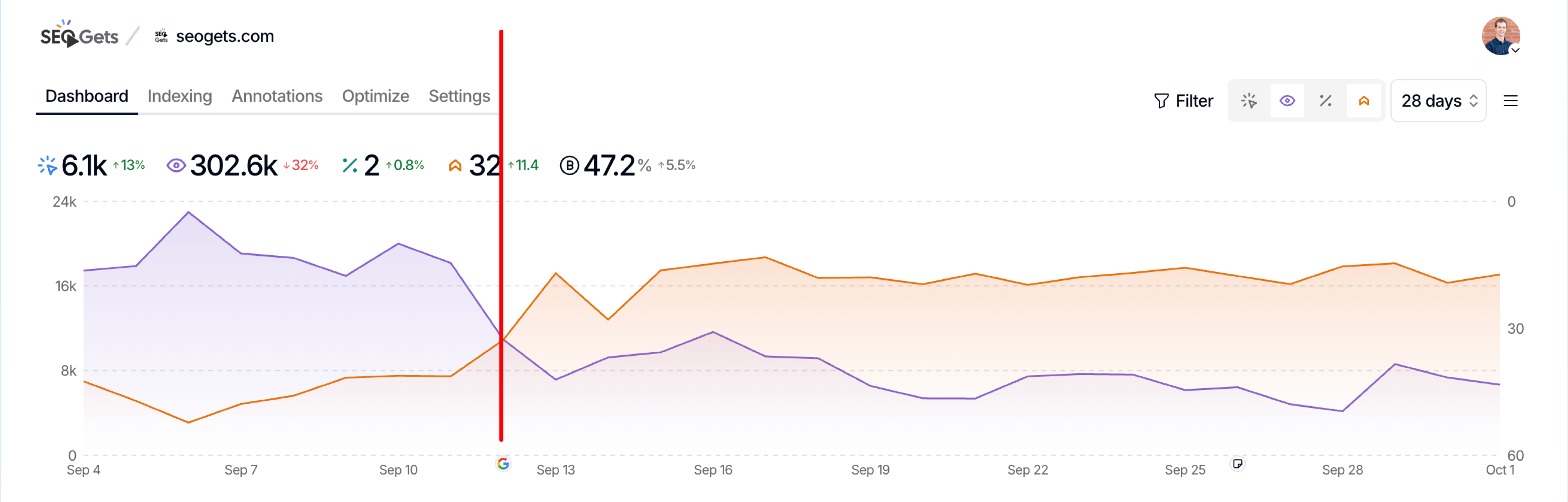
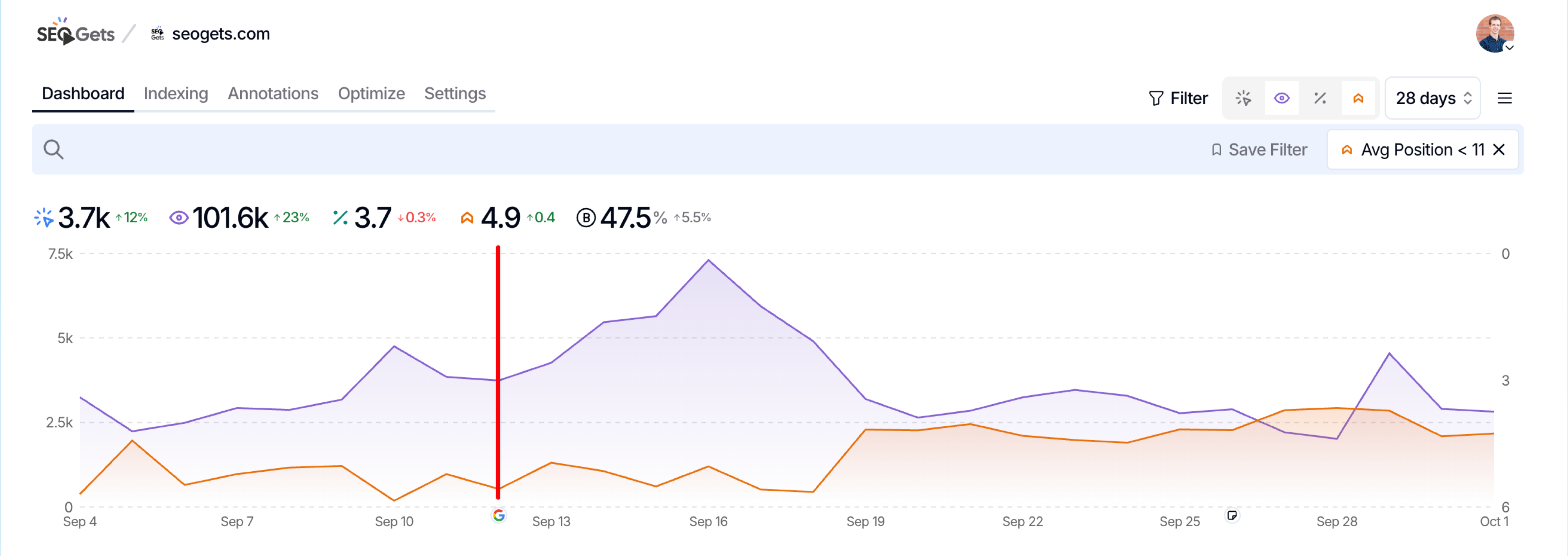
Added the ability to view before/after performance for all Google Core Updates.
We’ve added a comparison trendline option. You can find it in the date selection.
We’ve also improved:
Added the options “Last Week”, “This Month”, and “Last Month” as easy date selections.
Also added the ability to click and drag custom time selections from the performance graph. It is amazing to quickly identify a spike or drop in traffic.
We’ve added the ability to export your content decay heatmap report into a CSV.
We’ve added the ability to toggle the comparison options on and off for the Query Counting graph and the Brand vs. Non-Brand Clicks graph.
You can now conduct structured SEO tests to measure the impact of website changes on your organic traffic.
For example, you can test different title tag variations, analyze the impact of content length, or measure how FAQ sections affect your rankings with data-driven insights.
You can also track your tests alongside Google core updates using annotations to separate algorithm effects from your changes.
Learn more about conducting SEO tests and how to use our testing framework to grow your organic traffic.
You can now track and analyze how many different search queries generate impressions for your site.
For example, you can measure your site’s topical coverage, validate content pruning efforts, or track local SEO expansion with comprehensive query data beyond GSC’s 1,000 query limit. Learn all the ways you can use query counting.
You can also use query counting alongside traditional metrics to troubleshoot performance inconsistencies and validate keyword cannibalization fixes. Learn more about query counting and how it can transform your SEO analysis at SEO Gets.
One-click export capability added to all individual dashboards, allowing users to quickly download complete datasets for offline analysis or reporting.
A dedicated chart to visualize newly ranking pages and queries that weren’t previously ranking, helping teams quickly identify emerging opportunities.
Users can now integrate their own BigQuery datasets directly into SEO Gets, enabling more customized analysis with proprietary data.
On the master dashboard, if you tag any # of sites and then filter by that tag at the top, it will generate a combined metrics graph for you to see across that group of sites.
This is helpful when comparing site migrations, portfolios of sites, or combined international sites with different subdomains.
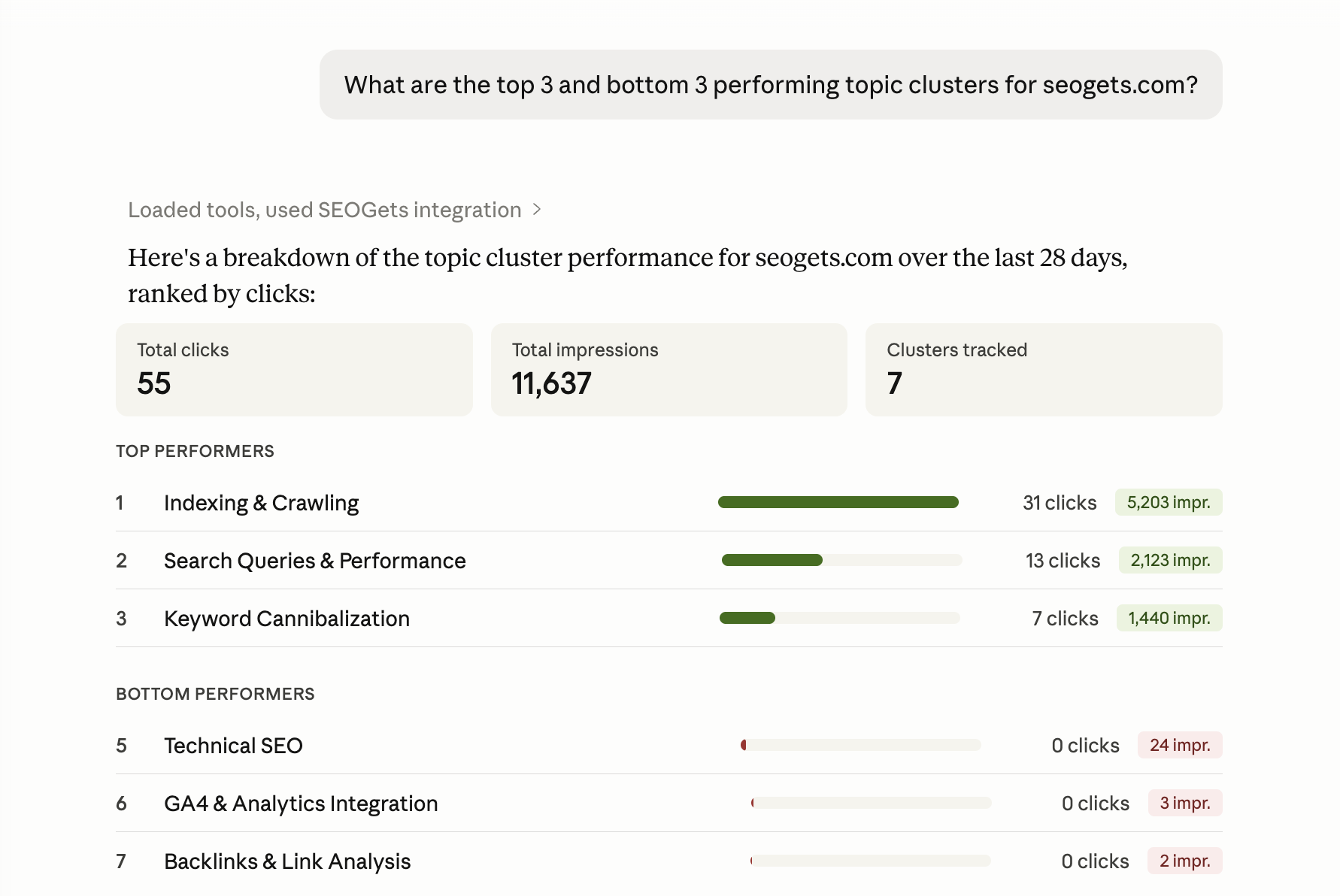
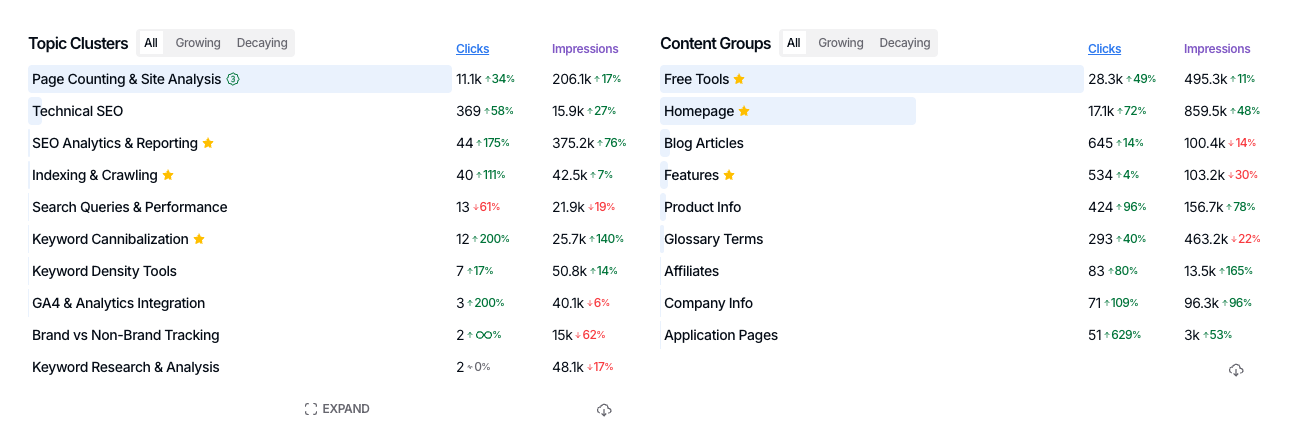
New functionality to save and track Keyword Topics and Clusters, similar to our content group feature for queries. This makes monitoring topical movement and performance easier than ever.