
Search type filters
Search type filters let you narrow your data by where the search happened—Google web search, Discover, News, Image, or Video. Different types of search results have different performance patterns, and filtering by search type helps you understand which type is driving your traffic.
Search type filters live in the date range selector, not the main filter bar. This is a common point of confusion—if you're looking in the filter popover, you won't find them there.
How to change search type
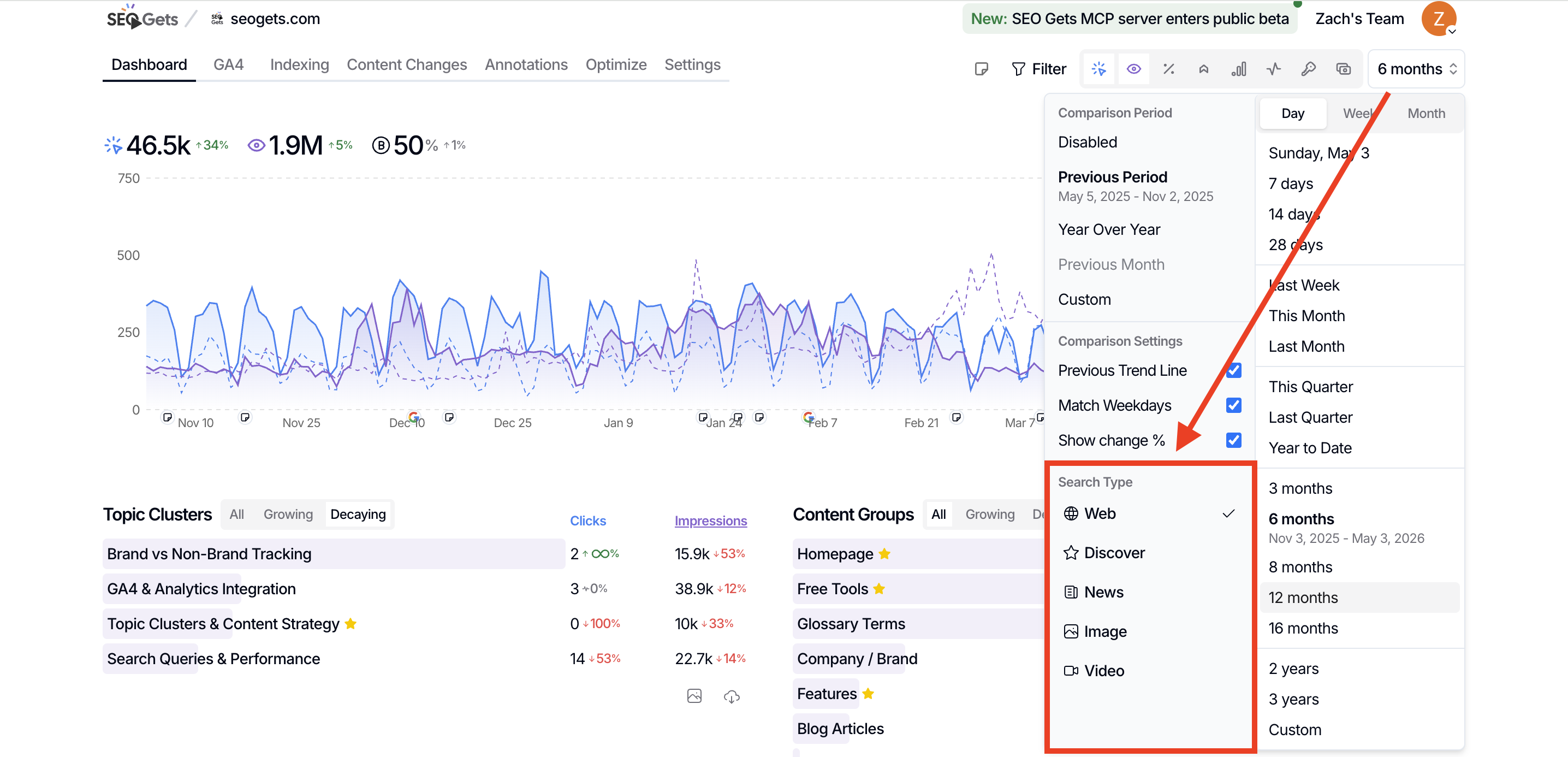
Open the property you want to analyze from your master dashboard.
Click the date range dropdown at the top of the dashboard.
Look for the Search type option in the selector.
Choose the search surface you want to analyze:
Web — Standard Google search results
Discover — Google Discover feed (mobile app and discover.google.com)
News — Google News results
Image — Google Image search
Video — Google Video search
Once selected, your entire dashboard updates to show only data from that search surface.
When to filter by search type
Understand Discover performance
Google Discover can drive massive traffic spikes, but it behaves differently from traditional search. Filter by Discover to see which pages appear in the feed, track spikes over time, and identify content formats that resonate with Discover's recommendation engine.
Analyze News visibility
If you publish time-sensitive content, filter by News to see how your articles perform in Google News. This helps you understand which topics and formats earn visibility in news-specific SERPs.
Track image and video performance
Visual content often gets lumped into general web data, making it hard to see its true impact. Filter by Image or Video to isolate visual search performance and optimize alt text, thumbnails, and video metadata.
Compare search types side-by-side
Use compare filters to see how the same page performs across different search types. You might find a page dominates web search but barely registers in Discover—or vice versa.
Some features, like New rankings, aren't available for Discover search type because the Discover API doesn't surface the same ranking data as web search.
What's next
Filter by basic dimensions like country or device alongside search type for deeper insights.
Use monthly reports to track how each search surface contributes to overall traffic.