
"People Also Ask" filter
The People Also Ask filter surfaces queries that start with question words—like who, what, where, when, why, and how. These are the kinds of searches that trigger Google's People Also Ask feature, and they're gold for content ideas.
Why question-based queries matter
When someone asks a question in search, they're usually further along in their thinking. They don't just want information—they want an answer. That makes these queries perfect for:
FAQ sections — If people are asking, you should be answering.
Blog posts — Turn a question into a helpful guide.
Featured snippet opportunities — Google loves pulling clear, direct answers into those position-zero boxes.
Content gaps — Questions you rank for but haven't explicitly answered represent missed opportunities.
How to apply the People Also Ask filter
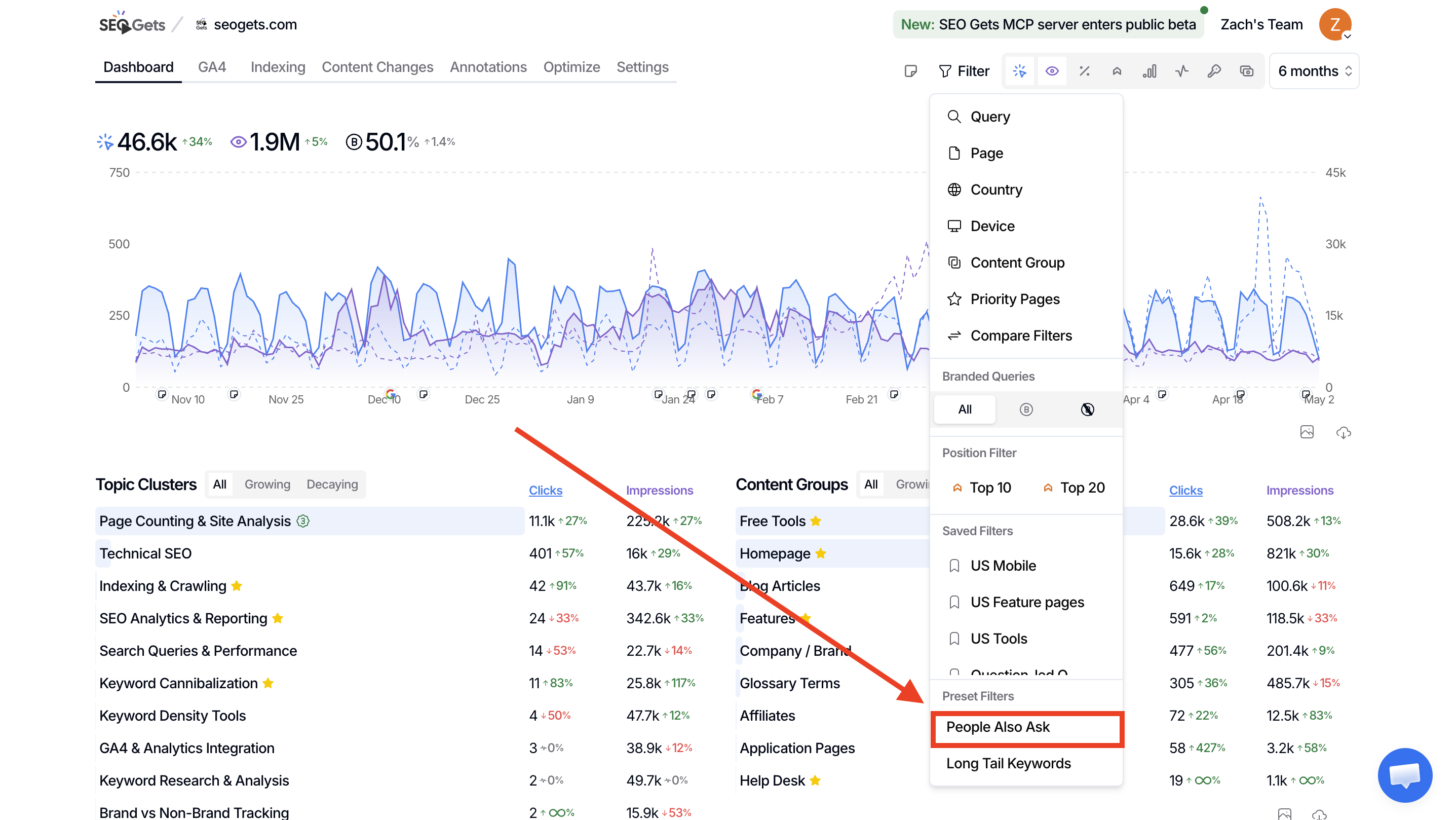
Open the property you want to analyze from your master dashboard.
Click the Filter button at the top of the dashboard.
Look for the Preset Filters section in the popover.
Click People Also Ask.
The filter activates immediately and shows as a chip in your active filter row. You'll now see only queries that match question patterns—terms starting with who, what, where, when, why, how, can, does, is, should, and similar question starters.
The People Also Ask filter works great alongside other filters. Try combining it with a page filter to see which of your URLs are already capturing question traffic, or pair it with a date range to spot emerging question trends.
What to do with the results
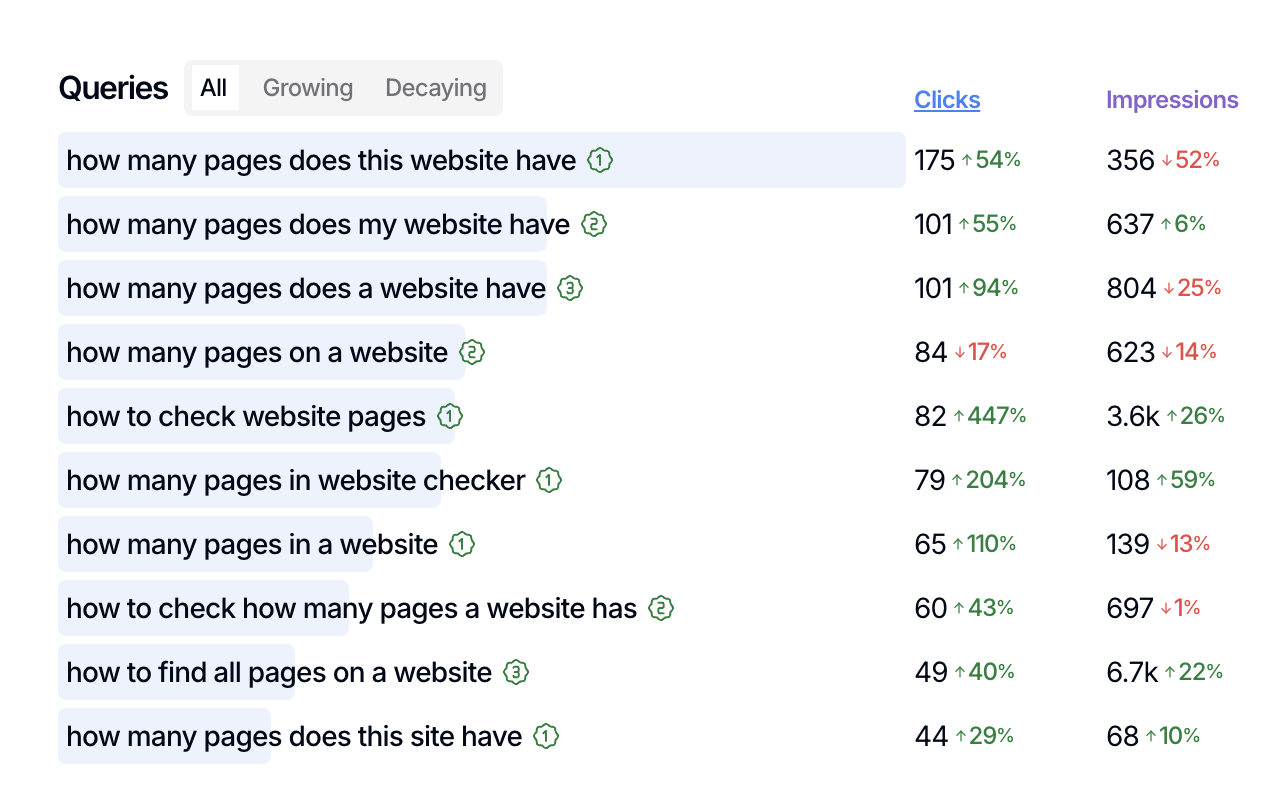
Once you've filtered for question-based queries, look for patterns that tell you what your audience actually wants to know:
High-impression, low-click questions — These mean you're showing up but not earning the click. Your snippet or title might need work.
Questions you don't have content for — If you see questions that don't map to a clear answer on your site, that's a content gap worth filling.
Questions clustering around a theme — Multiple related questions suggest a topic cluster opportunity. You could build a hub page that answers several questions at once.
Use it for content planning
When you're brainstorming your next batch of content, start here. Question-based queries give you ready-made headlines and a clear sense of what your audience is struggling with. They're also easier to rank for than broad informational terms because the intent is so specific.
Use it for page optimization
If a page is already getting impressions for question queries, check whether it actually answers those questions clearly. A well-placed FAQ section or a rewritten introduction can turn impressions into clicks. For more on finding pages that could use this kind of attention, see Find pages that need updates.
Combine with other filters
The People Also Ask preset is powerful on its own, but you can stack it with other filters to narrow your focus:
Long Tail Keywords — Combine both presets to find very specific, question-based searches that often have less competition. See Filter for long-tail and LLM queries for more on that preset.
Page filter — Focus on a specific section of your site to see which questions it's attracting (or missing).
Country filter — Different regions ask different questions. This helps you localize content.
What's next
Create content groups to track how your question-focused pages perform over time.
Set up topic clusters to organize related questions under broader themes and build topical authority.
Export your filtered queries to build a content calendar around the questions your audience is already asking.