
Why are my topic clusters or content groups duplicated?
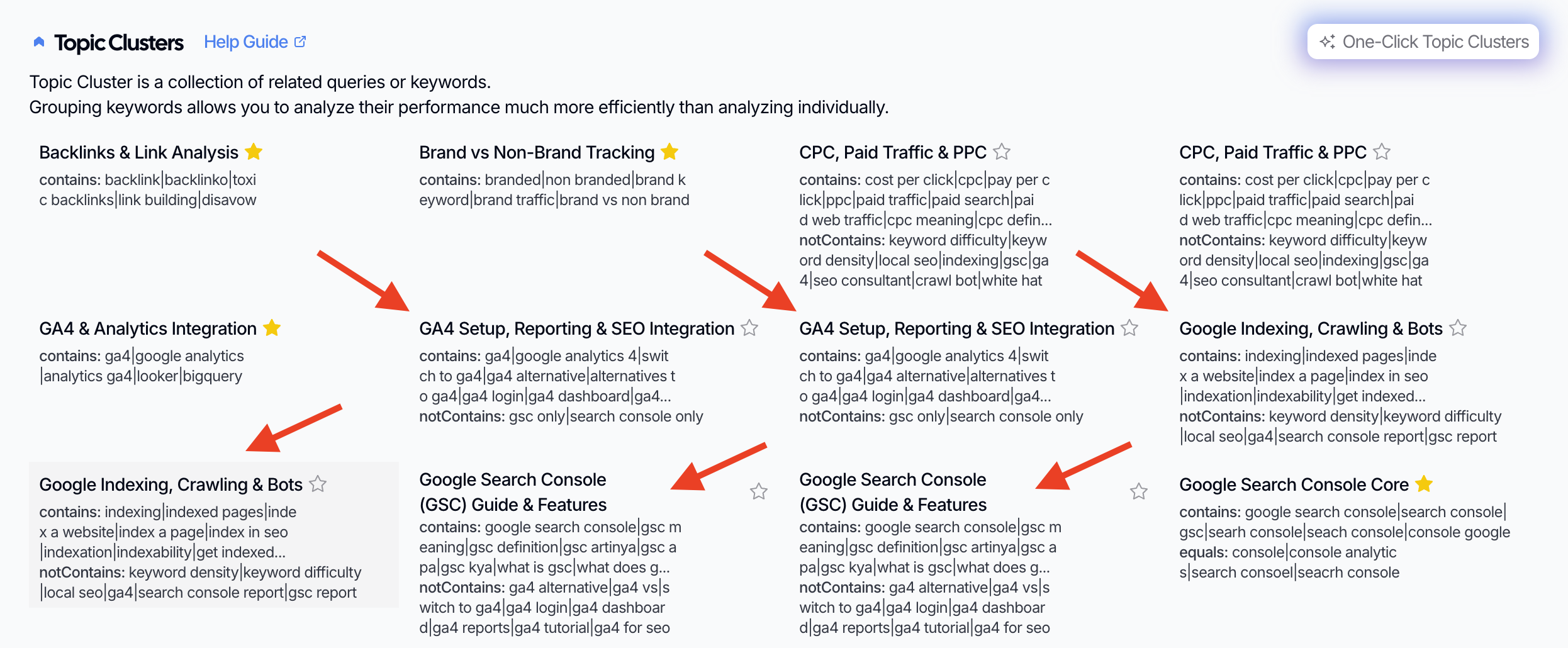
If you're seeing duplicate topic clusters or content groups in your account, you likely used both One-Click Setup and One-Click Topic Clusters/Content Grups. These two features each create topic clusters automatically—so running both can result in overlapping or identical clusters.
How the duplication happens
Here's what each feature does:
One-click setup runs a full initial setup for your property, which includes creating topic clusters automatically based on your site's content.
One-Click Topic Clusters generates topic clusters separately, also using AI to identify and group related keywords.
When you use both, you're essentially asking SEO Gets to create topic clusters twice—and that's exactly what happens.
What to do if you have duplicates
Navigate to your property in SEO Gets.
Go to Settings.
Scroll down to Topic Clusters (or Content Groups)
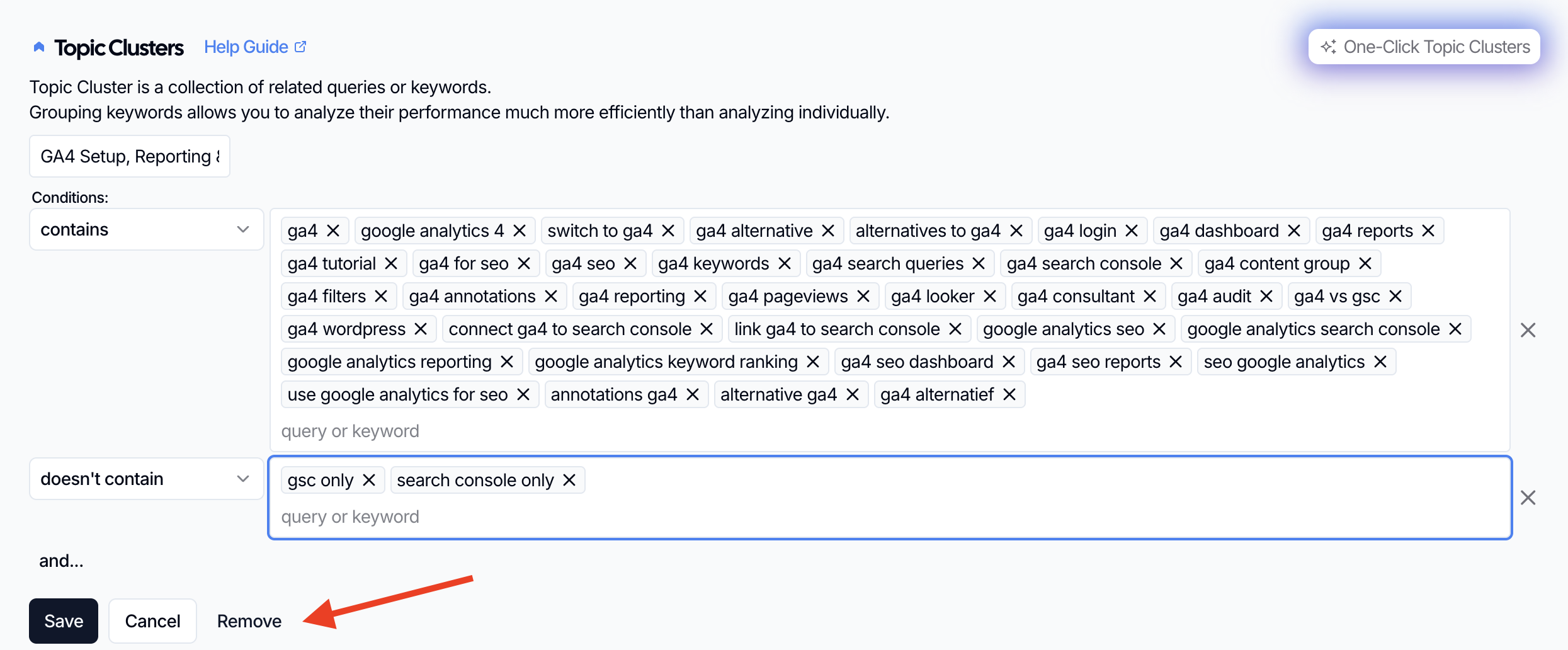
Click on a Topic Cluster/Content Group to open the builder
Click Remove to delete the duplicate
You can identify duplicates by comparing the keywords in each cluster. Duplicates will often have the same or very similar keyword lists.
How to avoid duplicates going forward
Choose one approach:
Use One-Click Setup only if you want a quick start with reasonable topic clusters already included.
Skip One-Click Setup and use One-Click Topic Clusters/Content Groups separately if you want more control over when and how your clusters are created.
Create topic clusters manually for the most precise control over your groupings.
All three approaches work well—just pick one and stick with it to avoid creating the same clusters multiple times.
Learn more
Set up topic clusters — the full guide to creating and managing topic clusters
Set up content groups — create and manage topic clusters
AI features and credits — how one-click features work and when they use AI credits