
The page still supports an important goal — a key service, product, or topic you care about — and it has ranking history worth recovering. A content refresh, internal link boost, or technical fix may be enough to bring Google back.
Track pages at risk of de-indexing
SEO Gets can show you which pages are indexed but haven't been crawled in 90 days or more — an early warning sign that Google may be losing interest. These are your Pages at risk of de-indexing, and catching them early gives you time to act before traffic drops.
What "at risk of de-indexing" means
Google doesn't de-index pages without warning, there's almost always a lead-up. A page that stays indexed but stops being crawled is a strong signal that Google no longer finds it worth visiting.
In SEO Gets, a page is flagged as at risk of de-indexing when:
It's still in Google's index
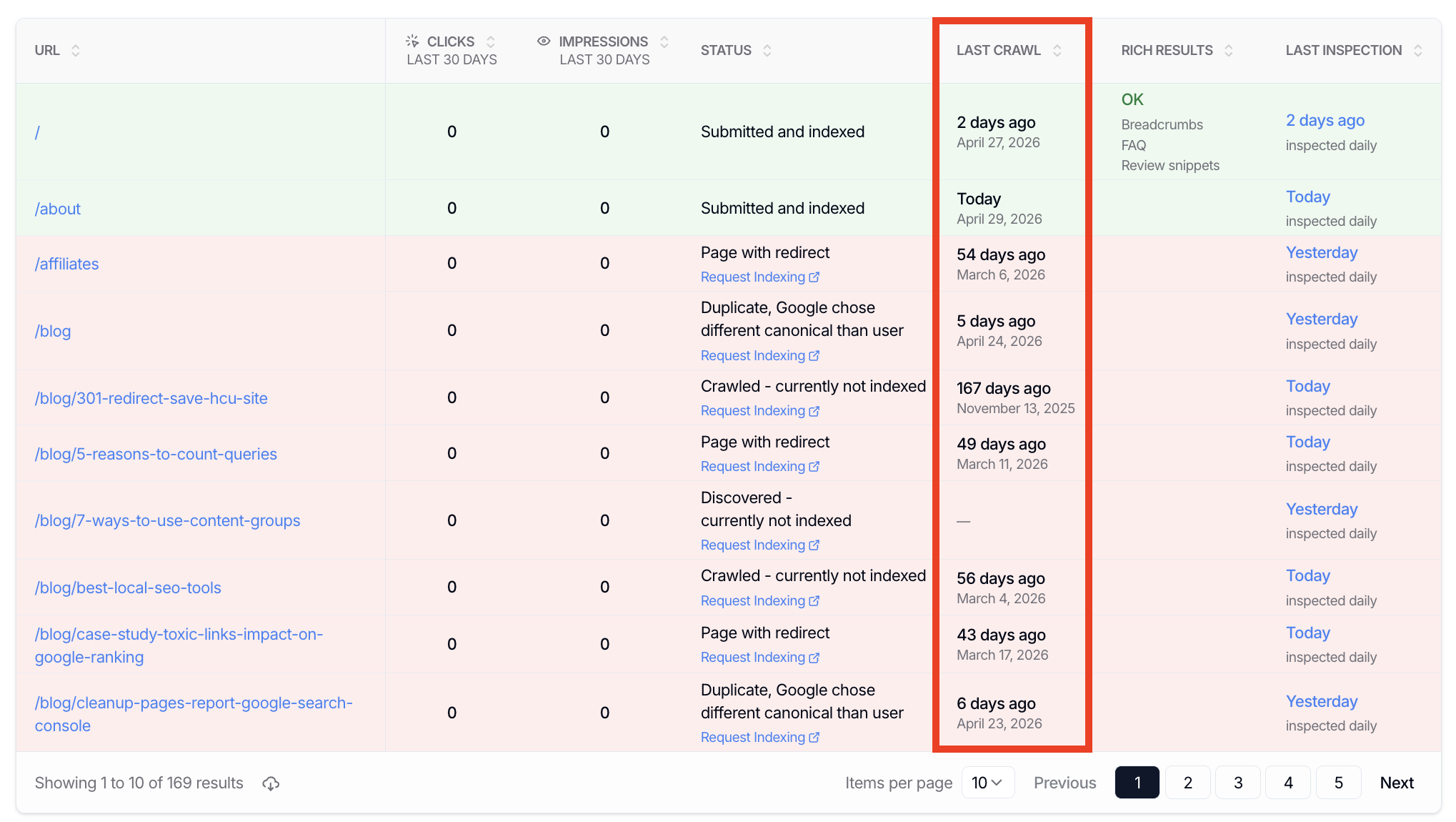
Its last crawl date is 90 days or more
This doesn't mean the page will be de-indexed tomorrow. It means Google hasn't requested it in a while, and if the pattern continues, de-indexing becomes more likely.
Where to find pages at risk
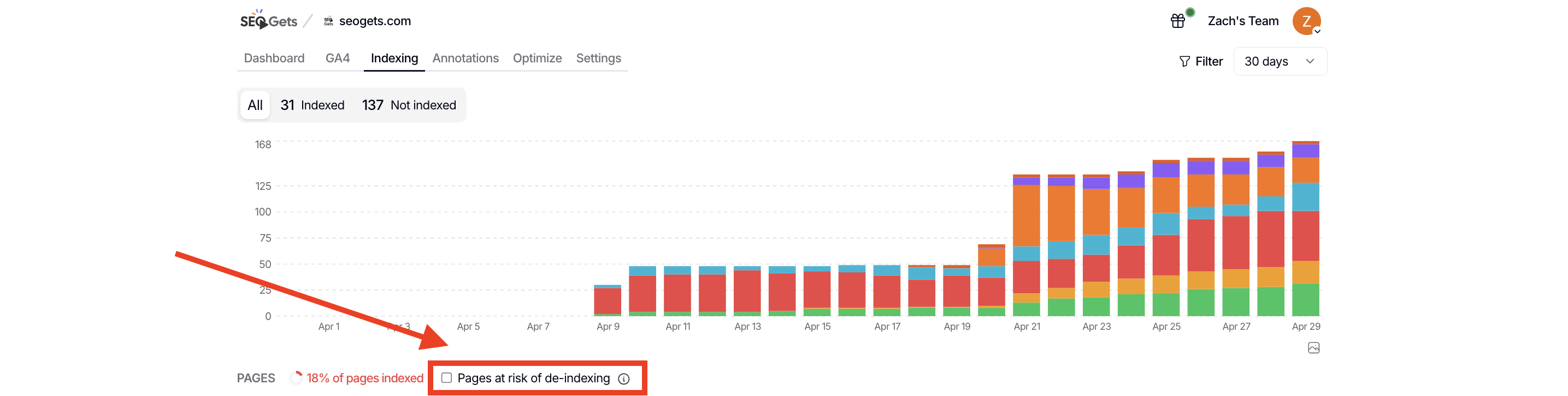
Open the site you want to check
Go to Indexing
Look for the Pages at risk of de-indexing section or filter
You can also sort by last crawl date to see which pages are aging out of Google's attention, even if they're not yet flagged.
When to take action
Not every page at risk deserves a rescue mission. Here's a simple way to decide:
Refresh the page when...
Leave it alone when...
The page is low-value, outdated, or no longer aligns with your strategy. If it's not worth the effort to improve, let it go. You can always redirect it later if needed.
Investigate further when...
You're not sure why Google stopped crawling. Check for technical issues like crawl errors, robots.txt blocks, or internal linking gaps. Sometimes the fix is simpler than you expect.
Why this matters for content decay
Pages at risk of de-indexing are often the same pages showing signs of content decay — declining impressions, clicks, or positions. The two signals together give you a clearer picture: not only is the page slipping in search visibility, but Google is also pulling back on crawl attention.
If a page shows both patterns, that's a strong prompt to act quickly or decide to let it go.
Get weekly alerts
You don't have to check manually. Set up weekly indexing report emails, and SEO Gets will include pages at risk of de-indexing in your inbox every week. That way, you'll catch early warnings without logging in.
Each Super Site can track up to 5,000 pages. If your site is larger, prioritize your most important sitemaps in the settings so the most critical pages stay on your radar.
What to do next
Set up automated site index monitoring to get weekly alerts
Detect decaying content before it's too late for a fuller picture of at-risk pages
Was this helpful?
Was this helpful?