
Track Google algorithm updates
SEO Gets automatically shows Google algorithm updates as markers on your performance charts, so you can see at a glance whether a traffic shift lines up with a core update or another search change.
How Google updates appear in your charts
When a Google algorithm update rolls out, SEO Gets adds a marker on your performance chart at the date it happened. This includes Google Core Updates and other significant algorithm changes.
You'll see these markers as you're reviewing your site's performance — no setup required.
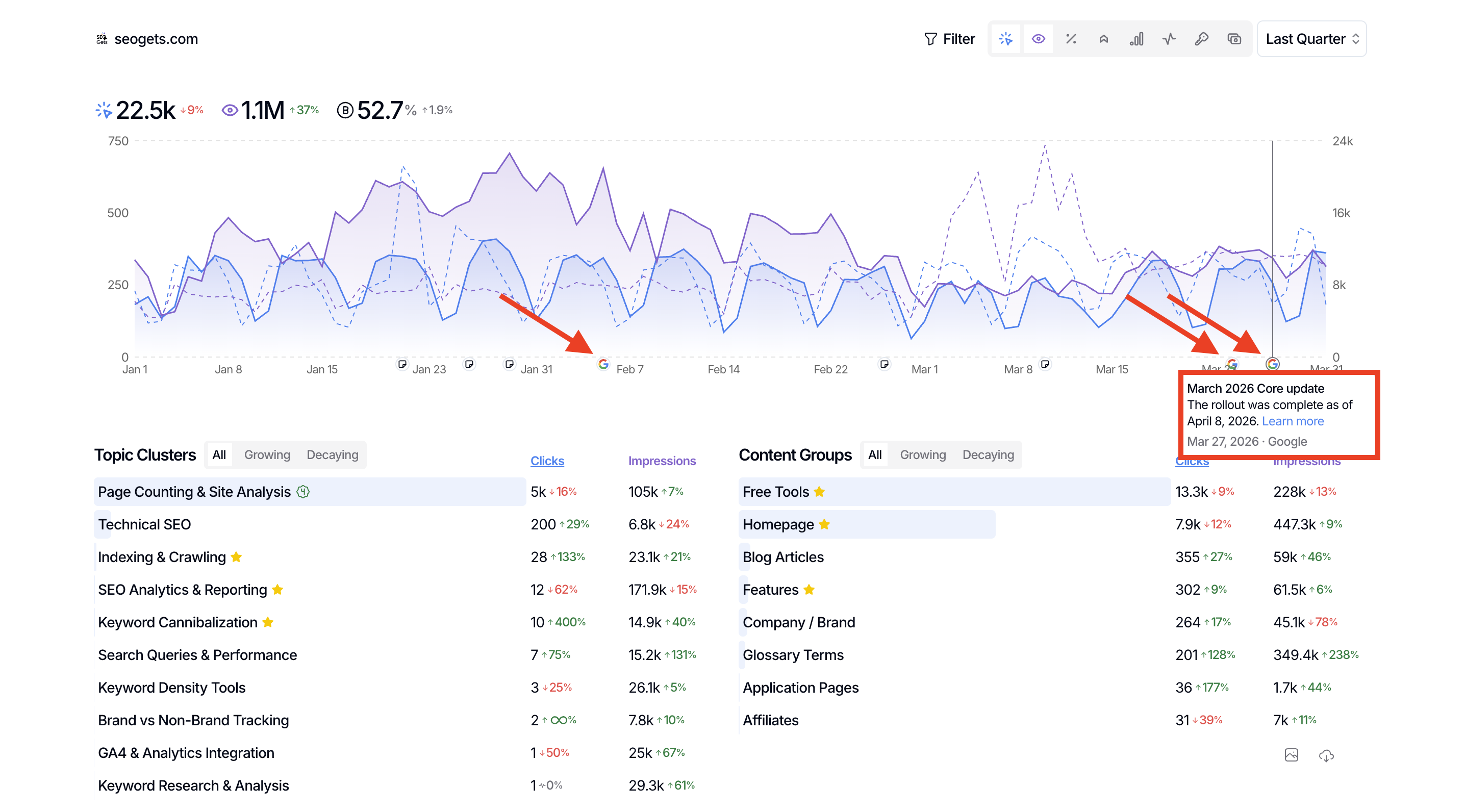
See what happened on a given date
If you see a Google logo or a note icon, hover over it to see what annotation or update applies to that day. If a Google update rolled out, you'll see the update name and date right there on the timeline.
This makes it easy to answer questions like:
"Did that traffic drop happen right after a core update?"
"Was the spike from my work or from an algorithm change?"
"Which pages were affected when the update hit?"
Why this matters
When you see a shift in clicks, impressions, or rankings, the first question is usually: what caused this? Having Google update markers built into your charts means you don't have to guess or cross-reference external calendars. The context is right there.
If the shift aligns with an update, you can start your investigation with a sound hypothesis of what happened. If it doesn't, you can check your own annotations to see if a site change you made coincided with the movement.
What to do after an update
When you spot a Google update that aligns with a performance change:
Identify affected pages — If you notice a broad shift in performance, drill in to see which pages or types of pages were impacted
Compare before and after — Adjust your date range to compare metrics from before and after the update
Review by query or page — Dig into which queries or pages gained or lost traffic
For tracking your own SEO changes alongside algorithm updates, see Track the impact of your SEO work.