
Top 10 and Top 20 position filters
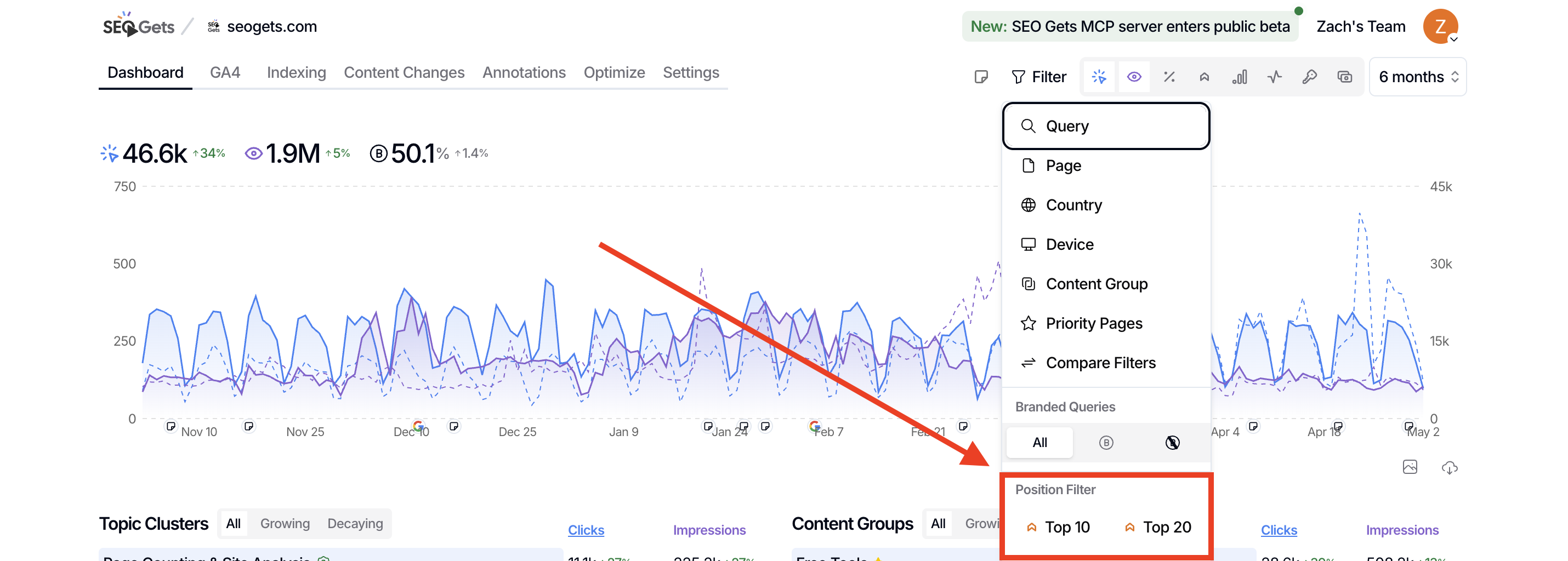
Use the Top 10 and Top 20 position filters to narrow your results to keywords ranking in positions 1–10 or 1–20. These filters help you spot pages on the cusp of page-one visibility and prioritize optimization work where it matters most.
What's the difference?
Top 10 shows keywords ranking in positions 1–10 — the first page of Google results. Use this to track page-one wins and see which terms are already winning.
Top 20 shows keywords ranking in positions 1–20 — the first two pages. This is your striking distance zone, where a focused update can push a page onto page one.
Both filters are useful, but they serve different goals. Top 10 tells you what's already working. Top 20 shows you what's close to working.
How to apply the filters
Open the site you want to analyze in SEO Gets.
Locate the filter bar at the top of the report.
Find the Position Filter section.
Click Top 10 or Top 20 to toggle the filter on.
The active filter will appear bold. Click again to remove it.
When to use each filter
Use Top 10 to track page-one wins
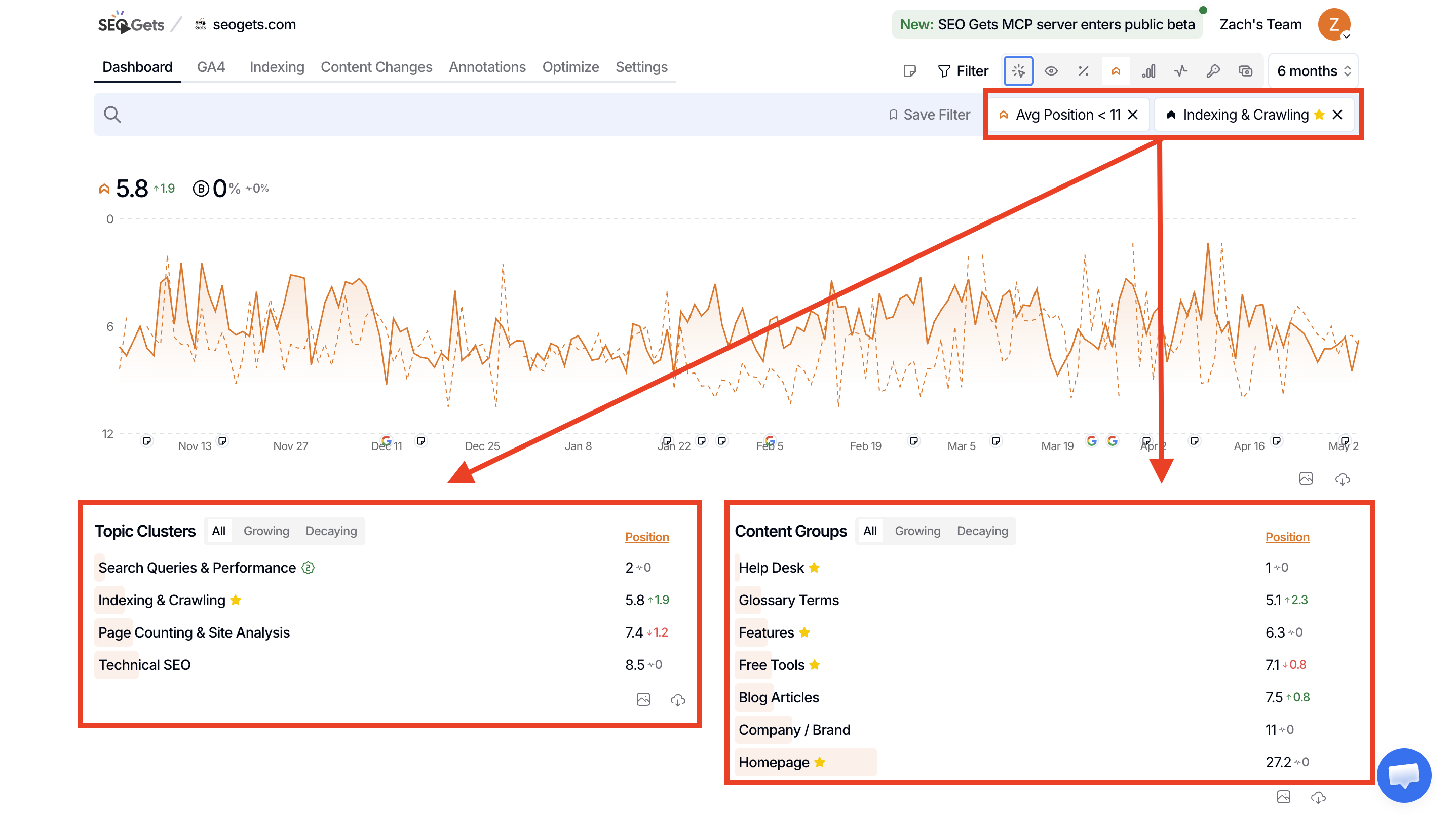
Top 10 is your "what's winning" view. Use it to:
Monitor keywords that already rank on page one
Protect high-value positions from slipping
Identify strong pages worth cross-linking from
These keywords are your current successes. Keep an eye on them and look for patterns you can replicate on other pages.
Use Top 20 for striking distance opportunities
Top 20 is where you find your next wins. Keywords in positions 11–20 are close enough that targeted optimization — better content, improved on-page elements, or stronger internal links — can push them onto page one.
Use Top 20 to:
Find pages ranking just outside the top results
Prioritize low-effort, high-impact updates
Build a quick-win content sprint
For a deeper workflow, see Create a prioritization plan for SEO work.
Combine with other filters
Position filters work well alongside other filters in the dashboard. Try combinations like:
Top 20 + Priority to find important topics that used to rank higher and are now drifting — prime candidates for a refresh
Top 10 + Brand tracking to see which branded terms dominate page one for your brand
Top 20 + Long tail keywords to find specific, intent-driven queries within striking distance
What's next
Review pages that need updates to act on your striking distance findings.
Use the Content Decay Map to spot pages losing momentum within the Top 20 band.
Build a prioritized action list with the Striking Distance Report.