
One-click growing/decaying tabs
Use the growing and decaying tabs in SEO Gets to instantly see which queries are gaining momentum and which are losing traction — so you can prioritize updates, double down on what’s working, and intervene before traffic slips further.
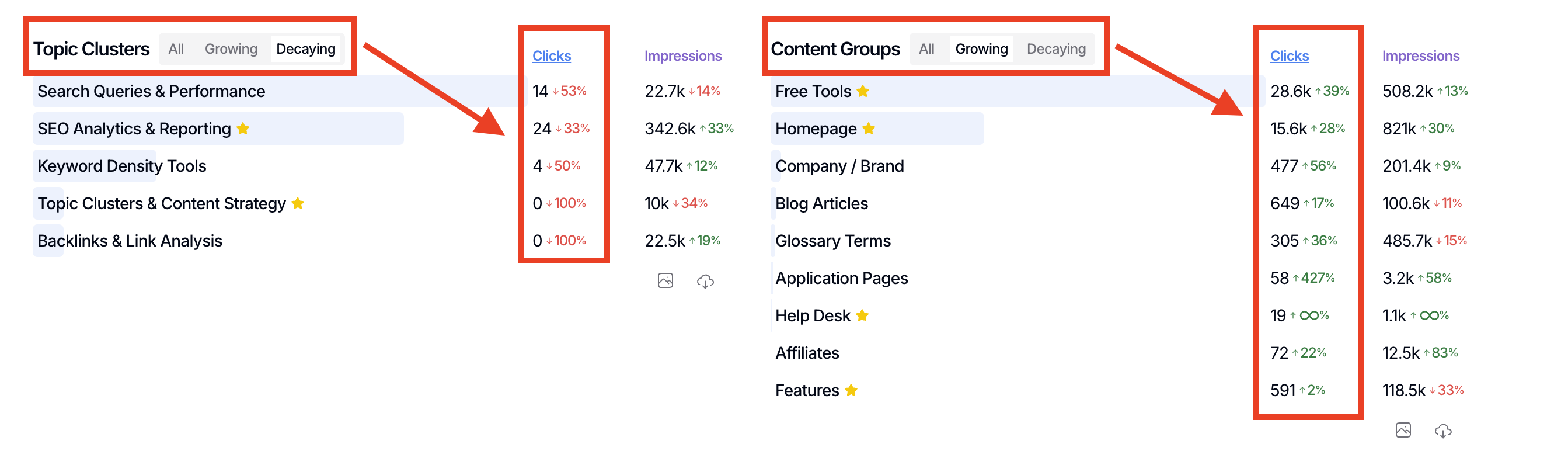
Where to find the tabs
In your dashboard queries list, you’ll see a quick-filter switcher with three tabs:
All — your most popular queries by standard sorting (according to your selected metric)
Growing — queries where the current metric is higher than the previous period’s metric, sorted by percent growth delta
Decaying — queries where the previous metric is higher than the current metric, sorted by percent growth delta
Requirements and what to expect
The growing and decaying views are available for Topic Clusters, Content Groups, Queries, Pages, Source/Medium, Countries, and Devices.
They require a comparison period. If your current view doesn’t include one, you’ll see a notice: “This report is only available when a comparison period is selected.”
If there are no items for the chosen view, you’ll see an empty state like “There are no growing queries to show” or “There are no decaying queries to show,” and you can click Switch to All to return to the popular view.
Why this matters for prioritization
Monitoring growth helps you identify what’s working so you can reinforce it. Monitoring decay surfaces early warning signs on queries you care about, so you can detect decaying content before it’s too late and take action before visibility drops further.
What’s next
After scanning decaying queries, turn them into an action plan with find pages that need updates so you can refresh the right pages and recover performance faster.