
How to Use SEO Gets Anywhere
SEO Gets Anywhere is a Chrome Extension that brings your GSC analytics right to the page you're viewing. You can check page-level data, add annotations in the moment, and jump into your full dashboard — all without breaking your workflow.
If you haven't installed SEO Gets Anywhere yet, visit Install Chrome Extension for step-by-step instructions.
What you can do with it
Once installed, click the extension icon on any page from a site you've connected to SEO Gets. You can:
Check GSC data on the spot: Pull page-level metrics and property performance data from virtually any URL on your connected site.
Add annotations while browsing: Log changes, updates, or events as they happen and sync them straight to your SEO Gets annotations report.
Open filtered views in SEO Gets: Jump from the page you're viewing to a pre-filtered view in the main dashboard without losing context.
Check GSC Data on the spot
While browsing one of your properties, you can click the SEO Gets icon in your Chrome Extension bar to instantly access GSC data on the current page.
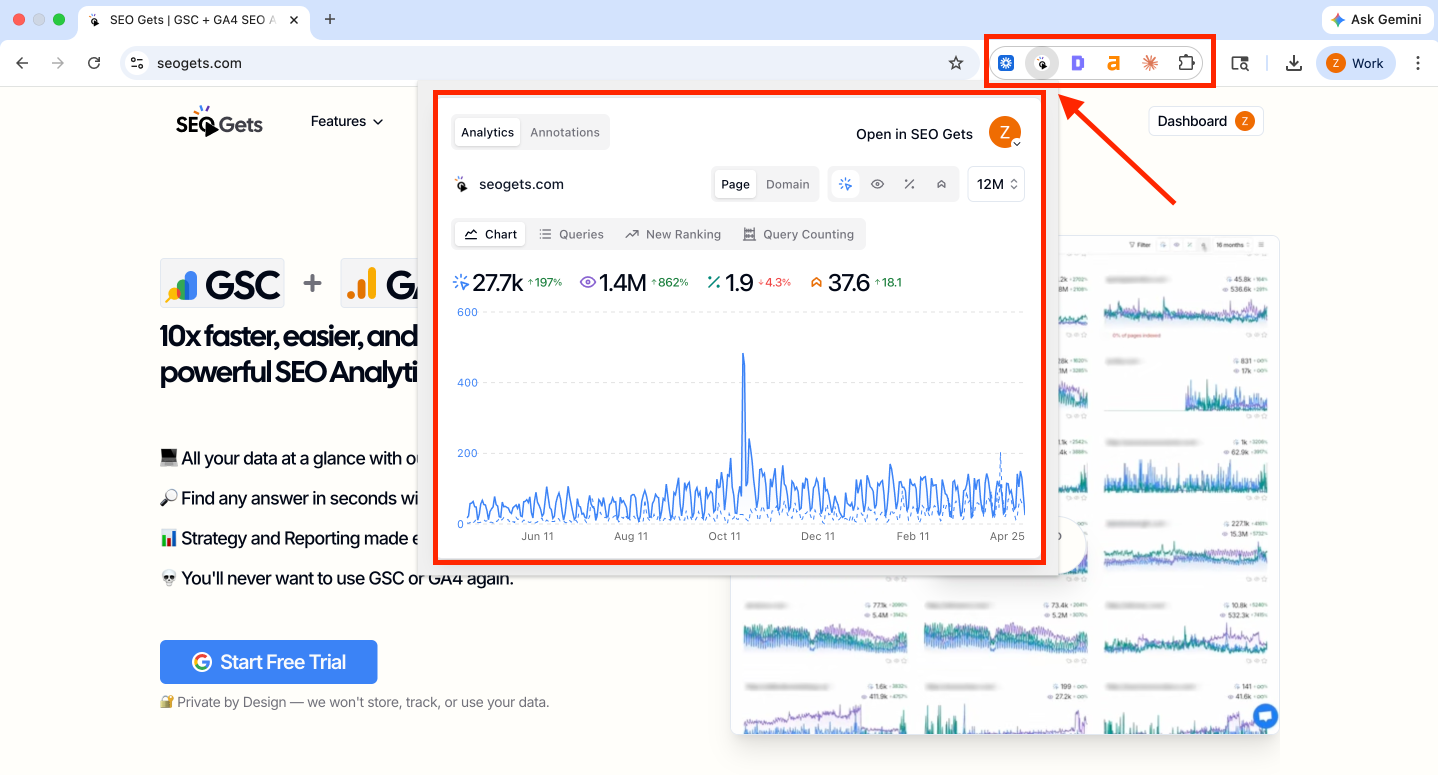
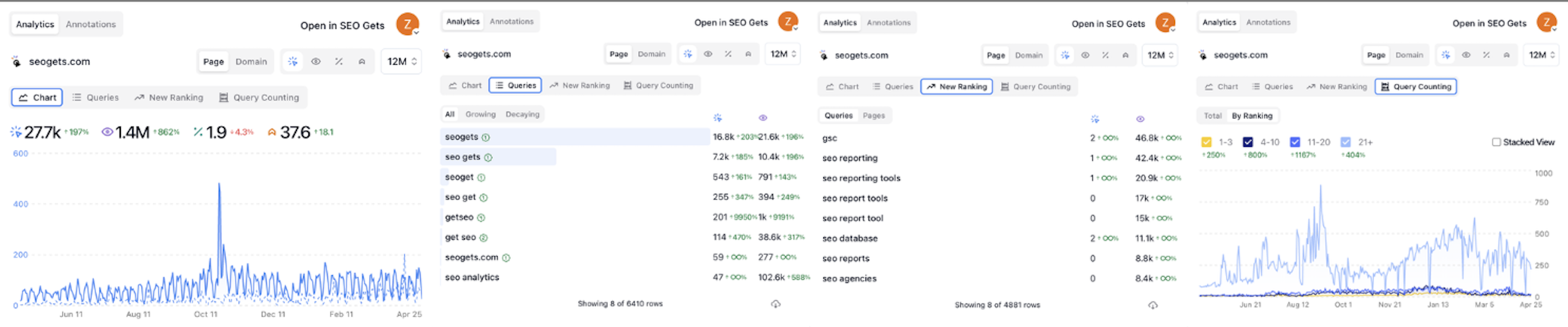
From this window, you can select the data you want to view as well as switch between Page and Domain to toggle between page-specific or site-wide data.
Chart: Performance graph showing clicks, impressions, CTR, and average position
Queries: List of queries generating impressions and clicks for the designated page as well as instant filters for growing and decay queries
New Ranking: Displays queries (or pages) that have recently ranked on Google
Query Counting: Provides a breakdown of positional cohorts (i.e., 1-3, 4-10, 11-20, and 21+)
Add an annotation while browsing
Annotations help you track what changed, when, and which pages were affected — without leaving the page you're reviewing. To access Annotations in SEO Gets Anywhere, toggle the selector from Analytics to Annotations.
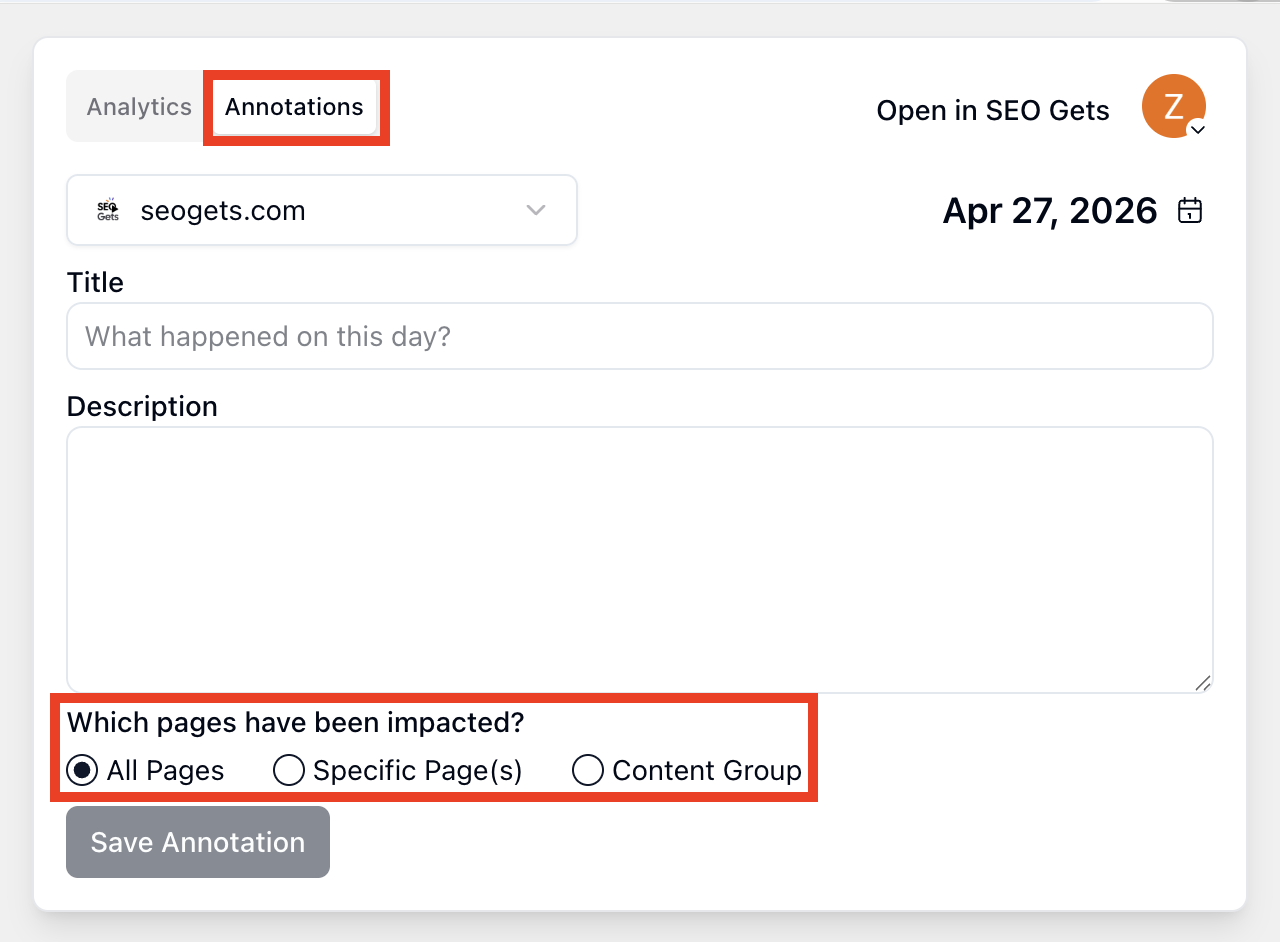
With this window open, you can apply annotations without logging into SEO Gets. Simply add a title and description to explain what happened or detail the work you've contributed, then click Save Annotation to instantly update the Annotations tab in SEO Gets. Don't forget to specify whether the annotation applies to all pages, a specific page (or pages), or one of your content groups.
Where to find your annotations
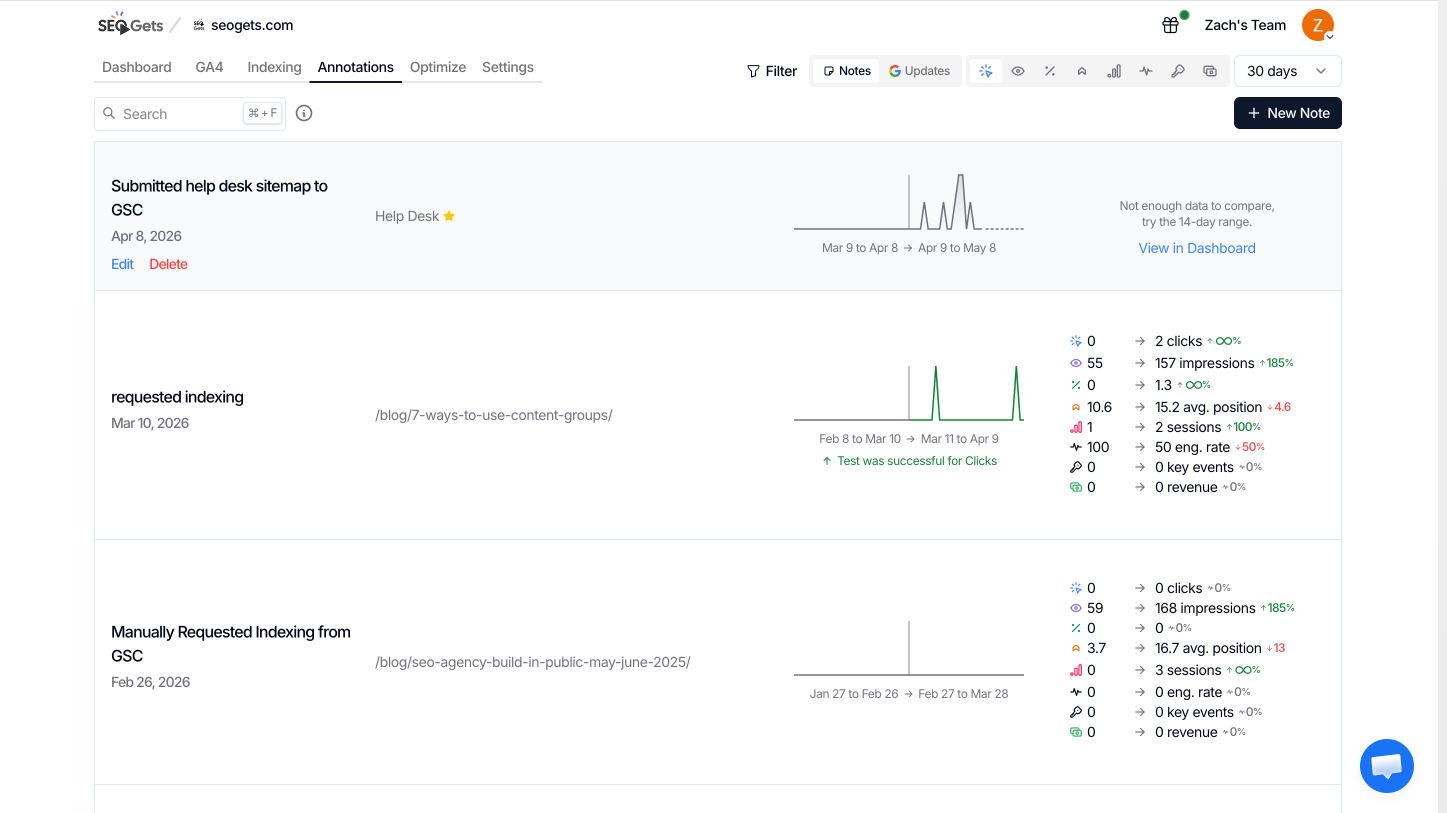
Saved annotations sync automatically to SEO Gets and show up as markers on your performance graphs. This makes it easy to connect traffic or ranking changes to specific events like content updates, metadata changes, or new page launches.
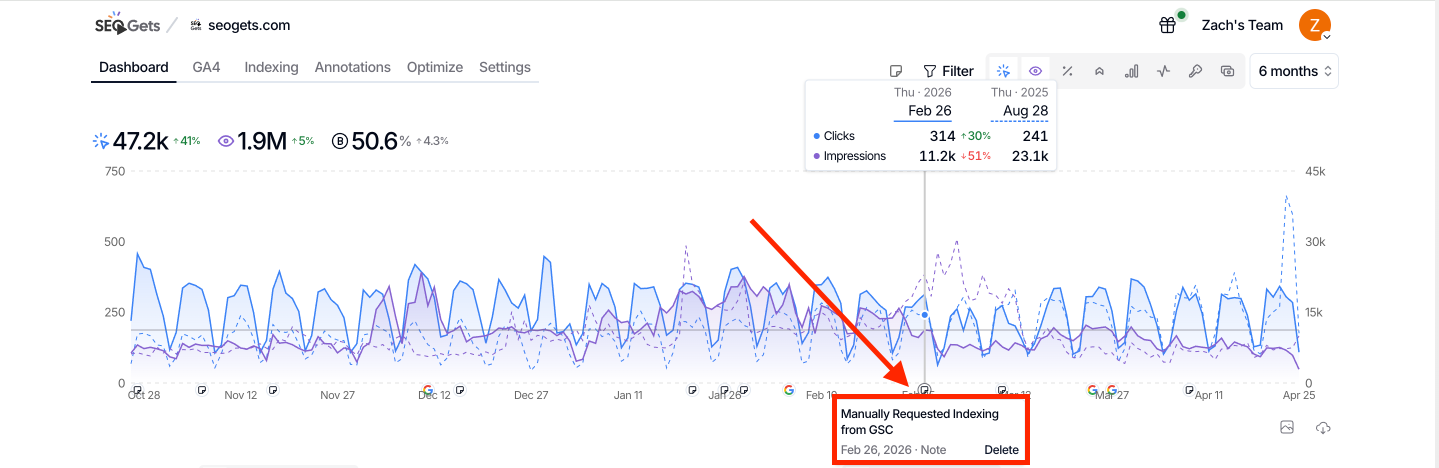
Annotations also initiate SEO testing automatically. Once enough data has been gathered, you will see the results the work outlined in your annotation. Impact is broken down across all core metrics so you can evaluate the result of your work across a wide range of outcomes. This includes clicks, impressions, CTR, average position, sessions, engagement rate, key events, and revenue.
When to use it
The extension shines when you're actively reviewing or updating pages and want instant context without opening a separate dashboard. It's especially handy for:
Spotting trends while browsing live pages
Logging content or metadata changes the moment you make them
Tracking SEO tests and internal link updates
Keeping your team in sync with shared annotations
Since annotations stay attached to your performance timeline in SEO Gets, your notes stay discoverable instead of buried in chat threads or spreadsheets.