
Google Analytics 4 API quotas and how they can be exceeded
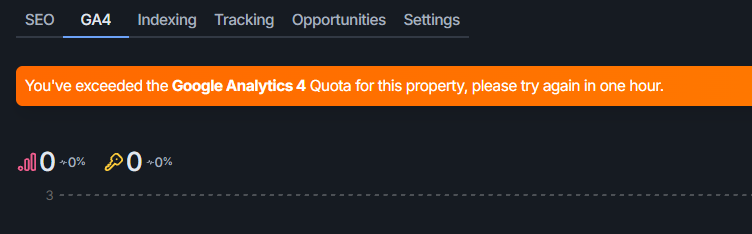
Google Analytics 4 (GA4) limits how much data its API will send, and when SEO Gets pulls your analytics it counts against that limit. If you see “You've exceeded the Google Analytics 4 Quota for this property, please try again in one hour,” the GA4 API has hit its quota for your property and stopped returning data until it resets.
What the GA4 API quota is
GA4's Data API caps how much work your property can request in a day and in an hour. These are Google's limits, not SEO Gets', and they apply to the reports SEO Gets runs for you. For a standard Analytics property, Google documents these Core limits:
Quota | Standard property | Analytics 360 property |
|---|---|---|
Core tokens per property per day | 200,000 | 2,000,000 |
Core tokens per property per hour | 40,000 | 400,000 |
Core tokens per project per property per hour | 14,000 | 140,000 |
Core concurrent requests per property | 10 | 50 |
Core server errors per project per property per hour | 10 | 50 |
Daily quotas reset at midnight Pacific time, and hourly quotas reset within an hour. Google also caps potentially thresholded requests at 120 per hour for sensitive dimensions like age, gender, and audience.
What uses up your quota
GA4 doesn't charge one token per request — token cost grows with how much data each report asks for. Google says token usage is driven by the number of rows requested, the number of dimensions and metrics, filter complexity, date-range length, and the property's event volume. High-cardinality dimensions such as pagePath (where a property has many distinct URLs) cost more too.
That's why a single report can be cheap while a big one — a long date range, many rows, or a busy site — burns through tokens far faster than the request count suggests.
How SEO Gets requests can add up
SEO Gets pulls your GA4 data through Google's runReport API, and several everyday actions can multiply the number of requests and the tokens they consume:
Pagination. SEO Gets requests rows in pages of 25,000. A report with more than 25,000 rows issues another request for each additional page.
Comparison views. Comparing two date ranges runs a report for each range.
Filters and drill-downs. Filtering or changing dimensions triggers fresh API requests.
Different dashboard views. Separate widgets and surfaces can each request their own report configuration.
Multiple users or sessions. Each browser session can run up to 8 concurrent GA4 requests, and that limit isn't shared across users or tabs.
Because the limit is shared across your whole property, quota exhaustion is usually an aggregate workload issue rather than the fault of one click.
Other tools connected to GA4 share the same quota
The GA4 API quota is shared across every tool connected to the same GA4 property, not just SEO Gets. If you use other tools that connect to GA4, such as rank trackers, reporting tools, data pipelines, or MCPs, they draw from the same daily and hourly token pool, so their usage can push you over the limit even when SEO Gets isn't doing anything heavy.
Some of these tools call the GA4 API automatically in the background, even when you're not actively using them. That continuous polling eats through quota far faster than on-demand requests, which is why the limit can be reached quickly on a property you barely touched today. In fact, if you share access to GA4 with an agency, contractors, or consultants, each party could be making requests independently that eat up your quota.
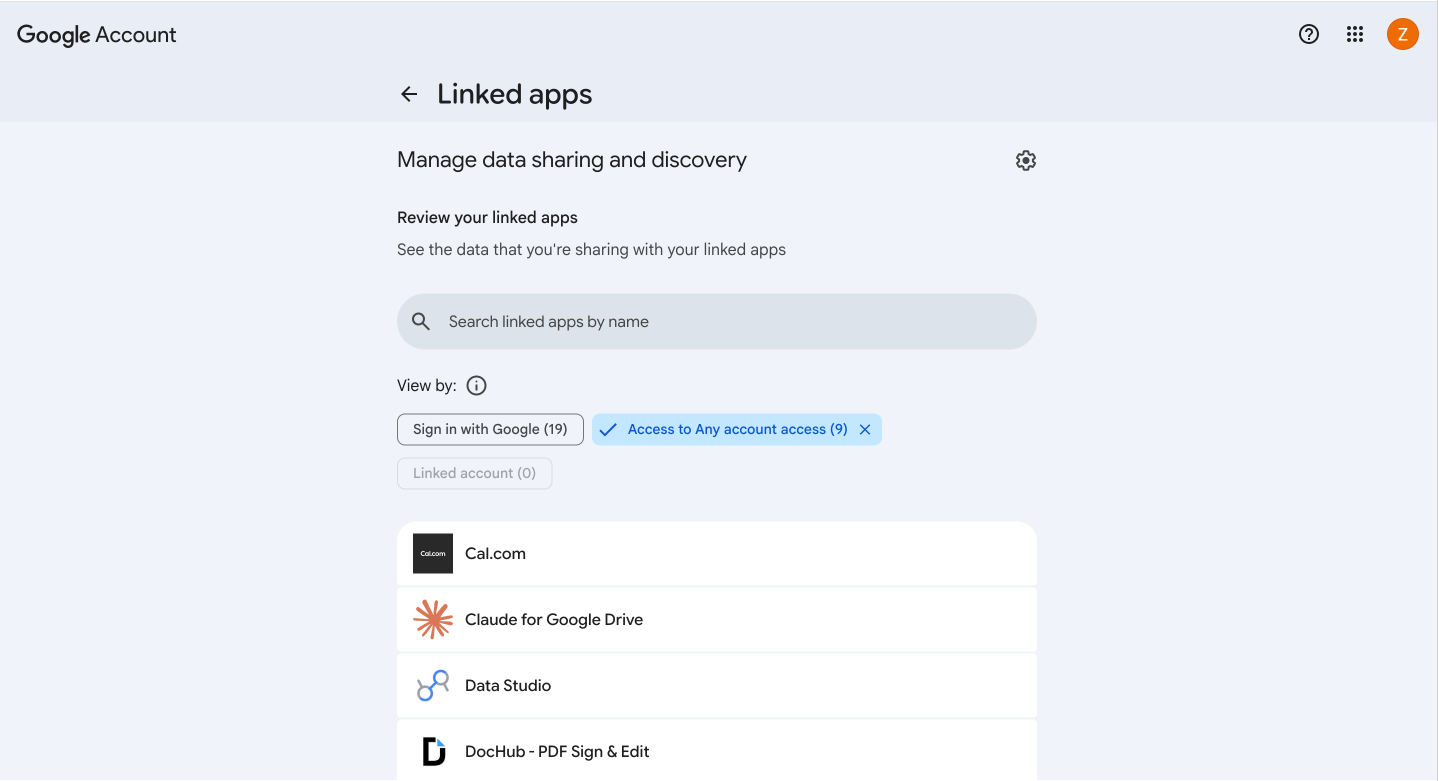
SEO Gets only calls the GA4 API when you use the tool, which means its efficient with your quota and calls are related to specific, high-intent activities. Unfortunately, it's still last in line behind any tools that poll constantly. To see which tools are connected to your Google account and using GA4, review the apps and connections on your Google account's connections page.
Google Search Console and GA4 use different APIs, so a GSC connection doesn't count against your GA4 quota.
What you see when you hit the quota
When GA4 returns an HTTP 429 (its "resource exhausted" response), SEO Gets shows the banner telling you to try again in one hour. SEO Gets doesn't retry automatically or count down to a reset — the "one hour" message reflects Google's hourly quota window, and the product doesn't schedule its own retry.
What to do
Wait for the quota window to reset — Google refreshes hourly quotas within an hour and daily quotas at midnight Pacific time — then run the report again. If you're hitting the quota regularly, spread heavy report work out: avoid running many large reports or comparison views back to back, and be aware that busy sites with lots of pages consume tokens faster.
The best way to avoid hitting your quota limit is by disconnecting or deactivating tools that you don't use consistently. Check for feature overlap to determine which tools can stay and which should go.
If you're seeing an empty panel but no quota banner, that's usually a different problem — like an unlinked property or the wrong Google account — rather than a quota issue. See link your GA4 property for help distinguishing them.