
Enable/disable AI features
Use this setting when you want to turn SEO Gets AI features on or off for your account. If you disable AI features, AI-powered tools and actions won't be available until you turn them back on.
AI features use AI credits which are included with Core and Pro plans or can be purchased separately. If you turn AI features on but still can't use a tool, check your plan and available credits.
Enable or disable AI features
Open your account settings in SEO Gets.
Navigate to Team → Preferences
Click Edit and select Yes or No to use AI in your SEO experience.
Save your changes.

What happens when AI features are disabled
AI-powered tools, actions, and suggestions are unavailable.
Your regular dashboards and reports still work as normal.
You can re-enable AI features at any time.
Troubleshooting
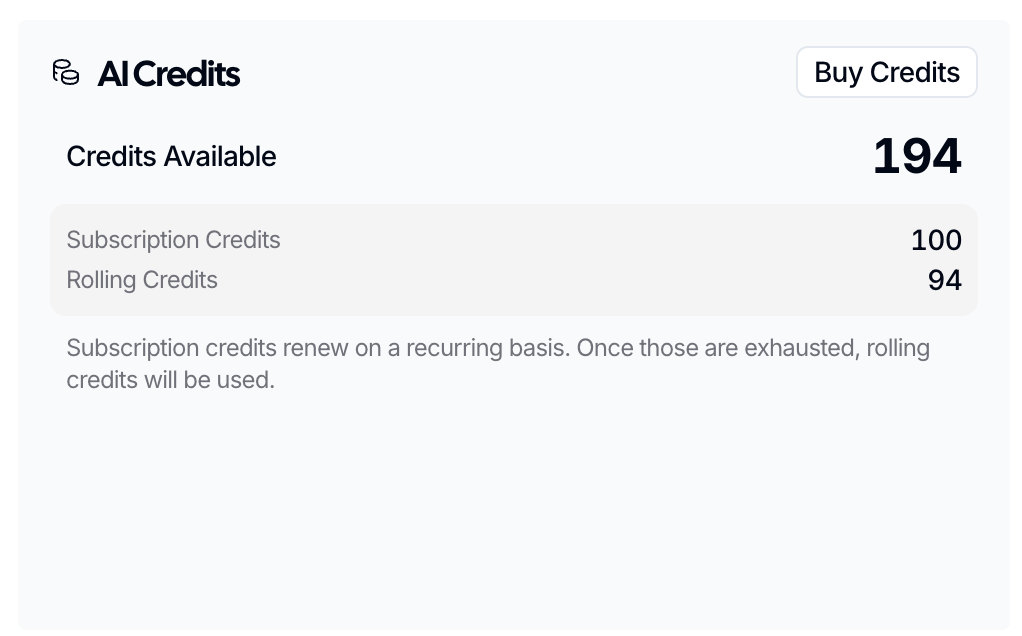
If AI features are turned on but you still can't use them, check whether your account has AI Credits available. You can check your AI Credits balance and buy credits in Billing & Invoices.
Are AI Credits worth it?
AI Credits greatly accelerate account setup and improve data quality by enabling SEO Gets users to set up branded keyword filters, topic clusters, and content groups with a single click. AI will play an important role in the future of SEO Gets, allowing us to continue to deliver the simple, elegant, and powerful features our users have come to expect. All Core and Pro accounts are awarded 100 AI Credits per month, but more can be purchased to support accounts that manage many sites or require more access to our AI features.
What to do next
What are AI Credits — understand how AI credits work and what you get
How to purchase AI credits — buy more credits for your account
AI features — explore all the AI-powered tools available