
How to purchase AI credits
You can buy AI credits from the Billing & Invoices screen in SEO Gets.
AI credits are separate from your main subscription. If a discount code was shared with you, apply it during checkout before you pay.
Purchase AI credits
Sign in to SEO Gets.
Navigate to Billing & Invoices
Select Buy Credits
Choose a preset # of credits or a custom amount.
Checkout
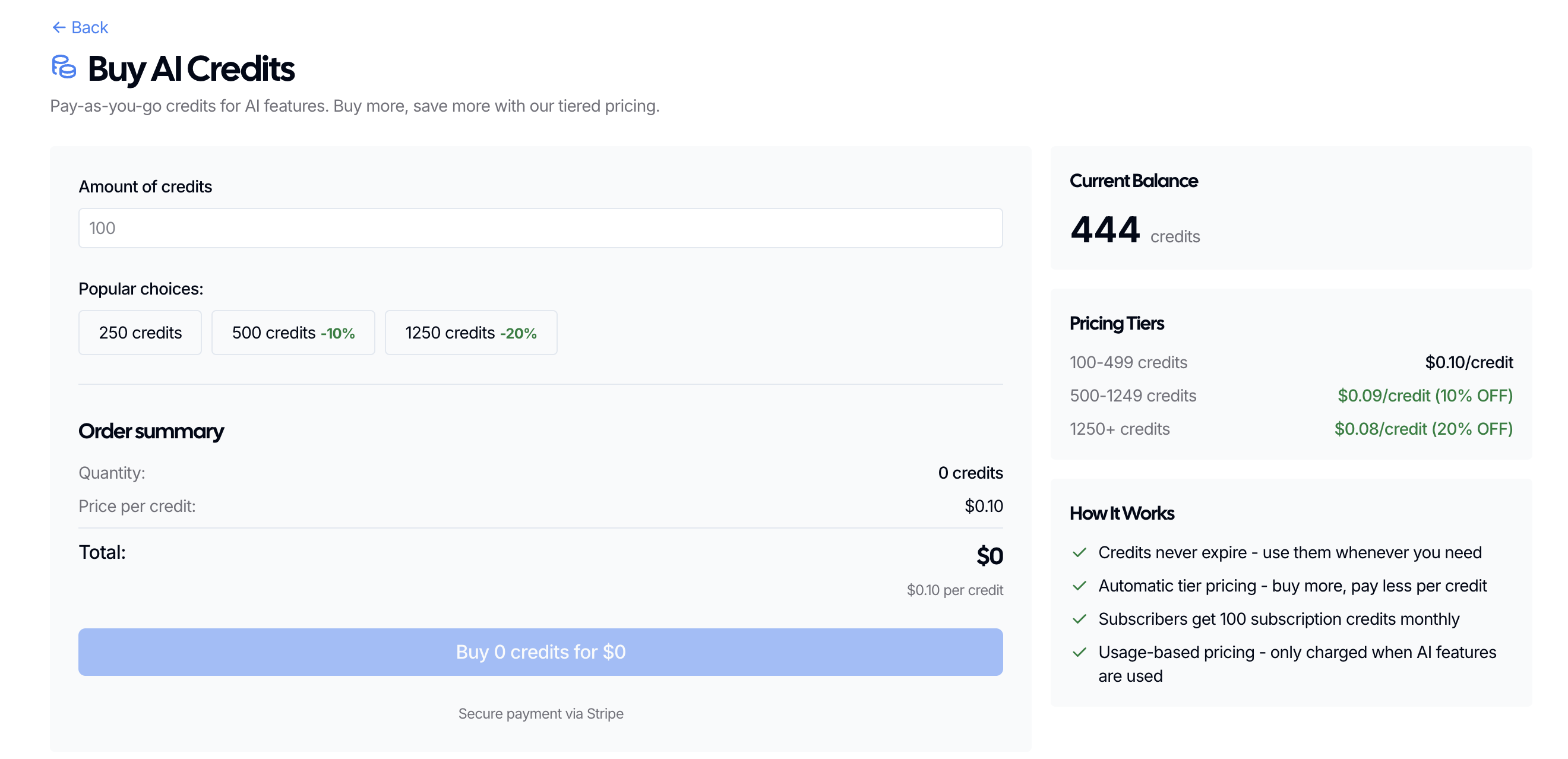
When you click "Buy X credits for $X" your order will be immediately processed via Stripe using the card connected to your account.
Pricing Tiers
100-499 credits - $0.10/credit
500-1249 credits - $0.09/credit (10% OFF)
1250+ credits - $0.08/credit (20% OFF)
If you don't see the option to buy credits
If the purchase option doesn't appear, make sure you're signed into the right SEO Gets account and that you're in the workspace where you want to use the credits. If it still isn't available, contact support so we can check your account.