
By related topics and ideas
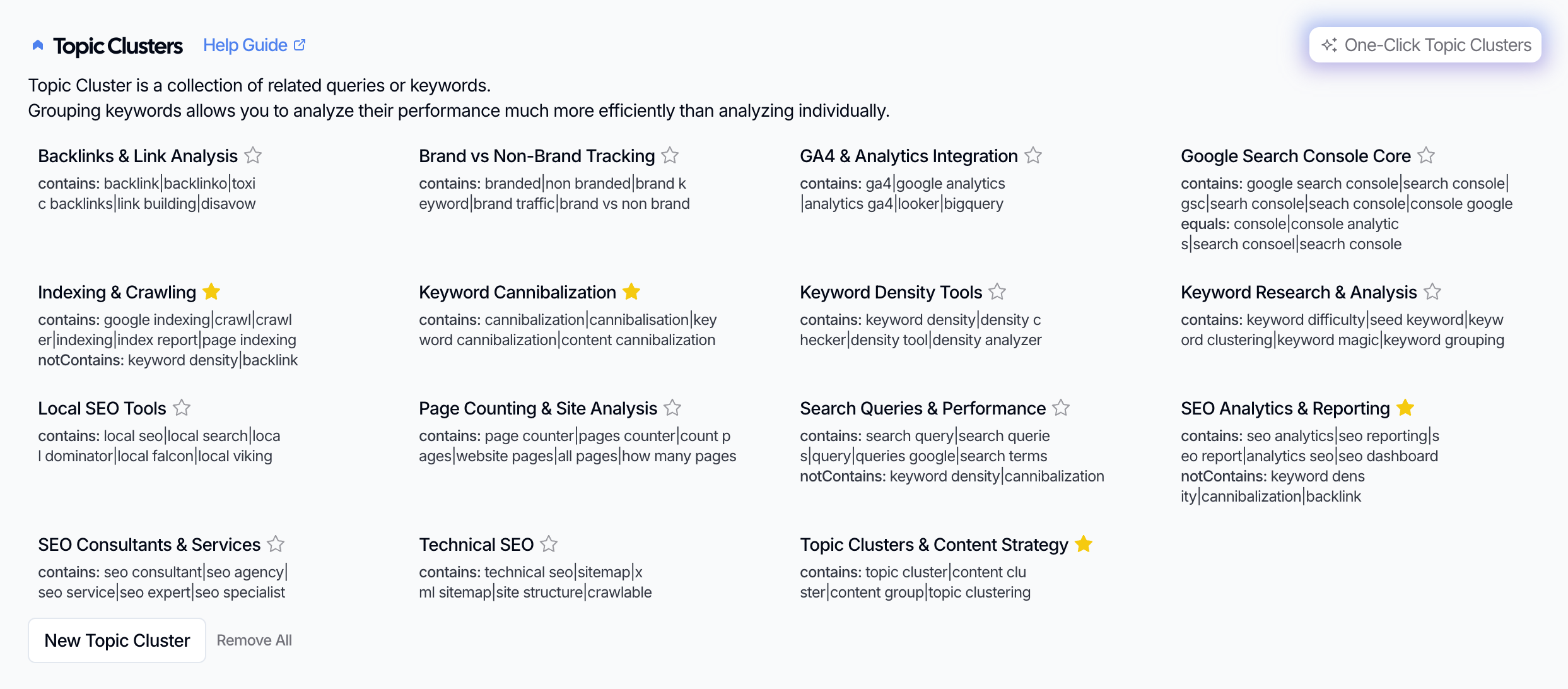
When you want to track how a theme performs across your site—regardless of which pages rank for it—grouping by related topics and ideas is the way to go. In SEO Gets, this means using Topic Clusters to bundle keywords that share the same concept, intent, or subject matter.
Why group by topic?
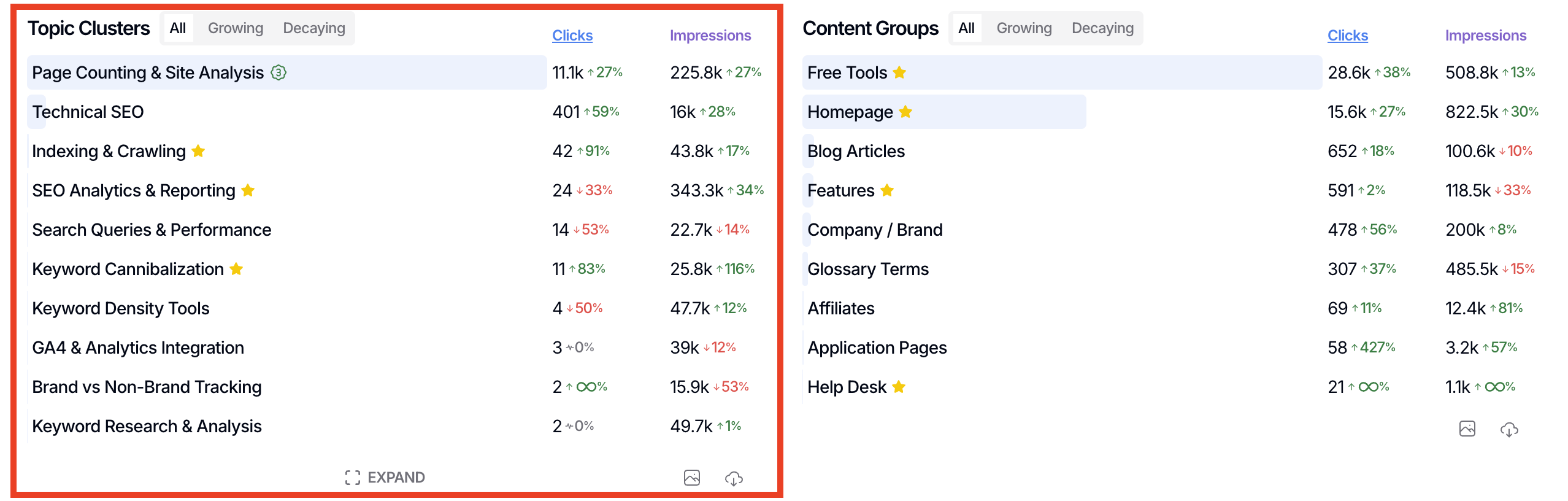
Topics rarely live on a single page. A theme like "technical SEO" might span dozens of articles, tools, and guides across your site. By grouping those keywords together, you can see the big picture:
Is the topic growing, flat, or declining?
Are there new opportunities you're missing?
Are some pages cannibalizing each other?
This approach is especially useful when you're tracking content strategy goals like "grow our authority in X" or "dominate Y topic."
How Topic Clusters work
Topic Clusters group keywords by theme—not URLs. You define which keywords belong in the cluster using a simple comma-separated format, and SEO Gets pulls all matching queries into one group you can filter and track.
Each cluster has two condition types:
Inclusion conditions: Keywords that should be in the cluster
Exclusion conditions: Keywords that should not be in the cluster (useful for keeping clusters clean and focused)
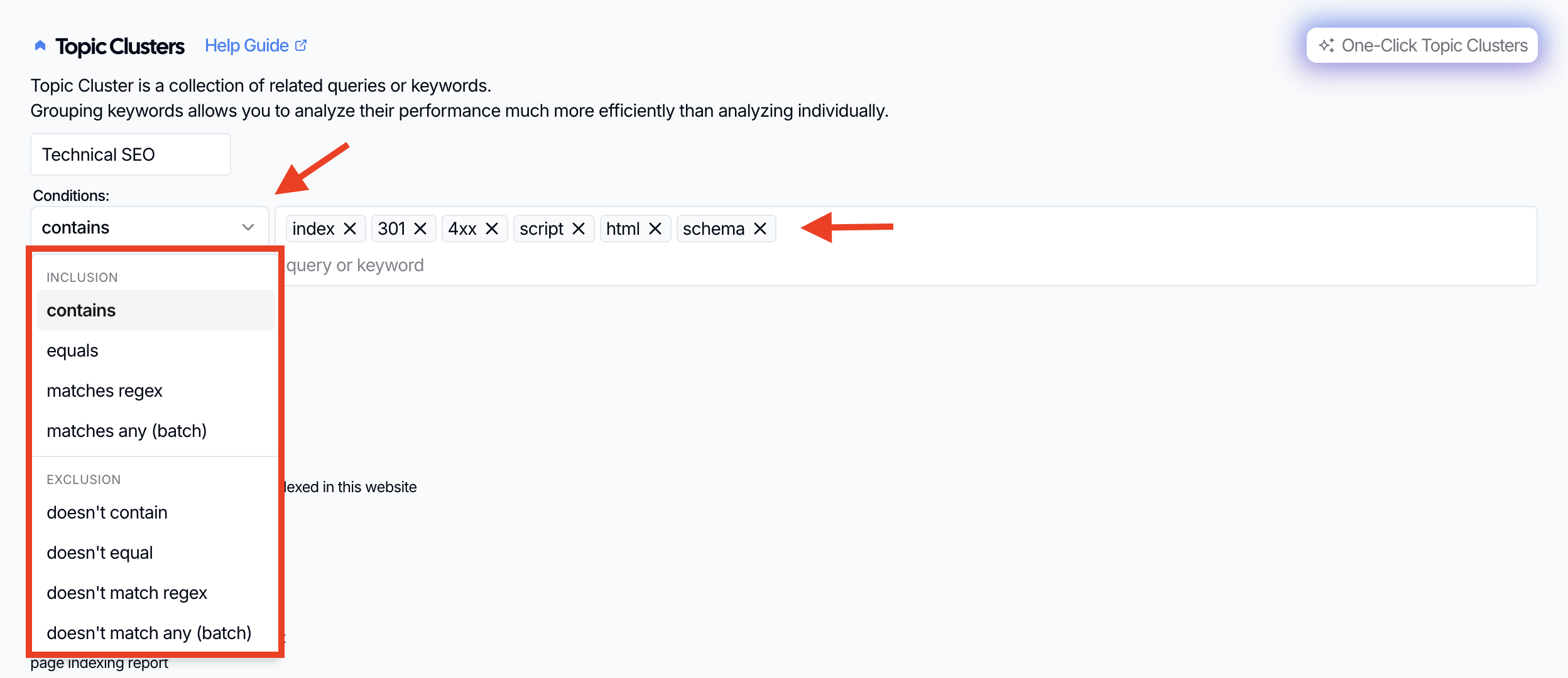
Visit Topic Clusters for a breakdown of how to get this feature set up in SEO Gets.
Examples of thematic keyword clusters
Here are three examples of how SEO Gets uses Topic Clusters to track related ideas:
SEO Analytics Cluster
Contains: seo analytics, seo reporting, seo report, analytics seo, seo dashboard
Doesn't contain: keyword density, cannibalization, backlink
= 394 matching queries
Indexing/Crawling Cluster
Contains: google indexing, crawl, crawler, indexing, index report, page indexing
Doesn't contain: keyword density, backlink
= 756 matching queries
Technical SEO Cluster
Contains: technical seo, sitemap, xml sitemap, site structure, crawlable
= 457 matching queries
Notice how each cluster focuses on a single theme. The exclusion conditions keep unrelated terms from drifting into the wrong cluster.
When to use topic grouping vs. other methods
Grouping by topic is ideal when you're tracking a theme that cuts across multiple pages or sections. Use other grouping methods when you want to track:
A section of your site (use Content Groups for URL-based grouping)
Specific types of content (i.e., guides, blogs, etc.
URL stages (i.e., subfolder structure that follows a logical flow)
Content by creator (i.e., agency, in-house, consultant)
Tips for strong topic clusters
Start with one clear theme instead of mixing unrelated topics.
Use keywords that describe the same intent or closely related subtopics.
If you spot overlap between clusters, refine your exclusion conditions to keep them distinct.
Mark high-priority topics as priority so they stay visible during reviews.
What to do next
After you've created your clusters, filter your dashboard by topic to see growth, decay, and new opportunities at a glance. For more on grouping strategies, check out the full guide to grouping and tracking content performance.