
By conversion goal or CTA
Want to track how your conversion-focused content performs? You can group it in two ways: by the pages people land on, or by the keywords they search for. Both approaches help you measure what matters most—content that drives signups, demos, purchases, or leads.
Use Content Groups for conversion-focused URLs, and Topic Clusters for conversion-intent keywords.
Use Content Groups for conversion pages
If your conversion pages share a consistent URL structure, create a Content Group to track them together. This works well when you want to see how all your signup, demo, or checkout pages perform as a unit.
Common conversion page patterns include:
/signup/or/register/— for account creation/demo/or/request-demo/— for demo requests/contact/or/contact-us/— for lead forms/pricing/— for pricing page views/checkout/or/cart/— for purchase flows/get-started/or/start/— for onboarding flows
You can create one group for all conversion pages using a regex pattern, or split them into separate groups to compare performance across different conversion types.
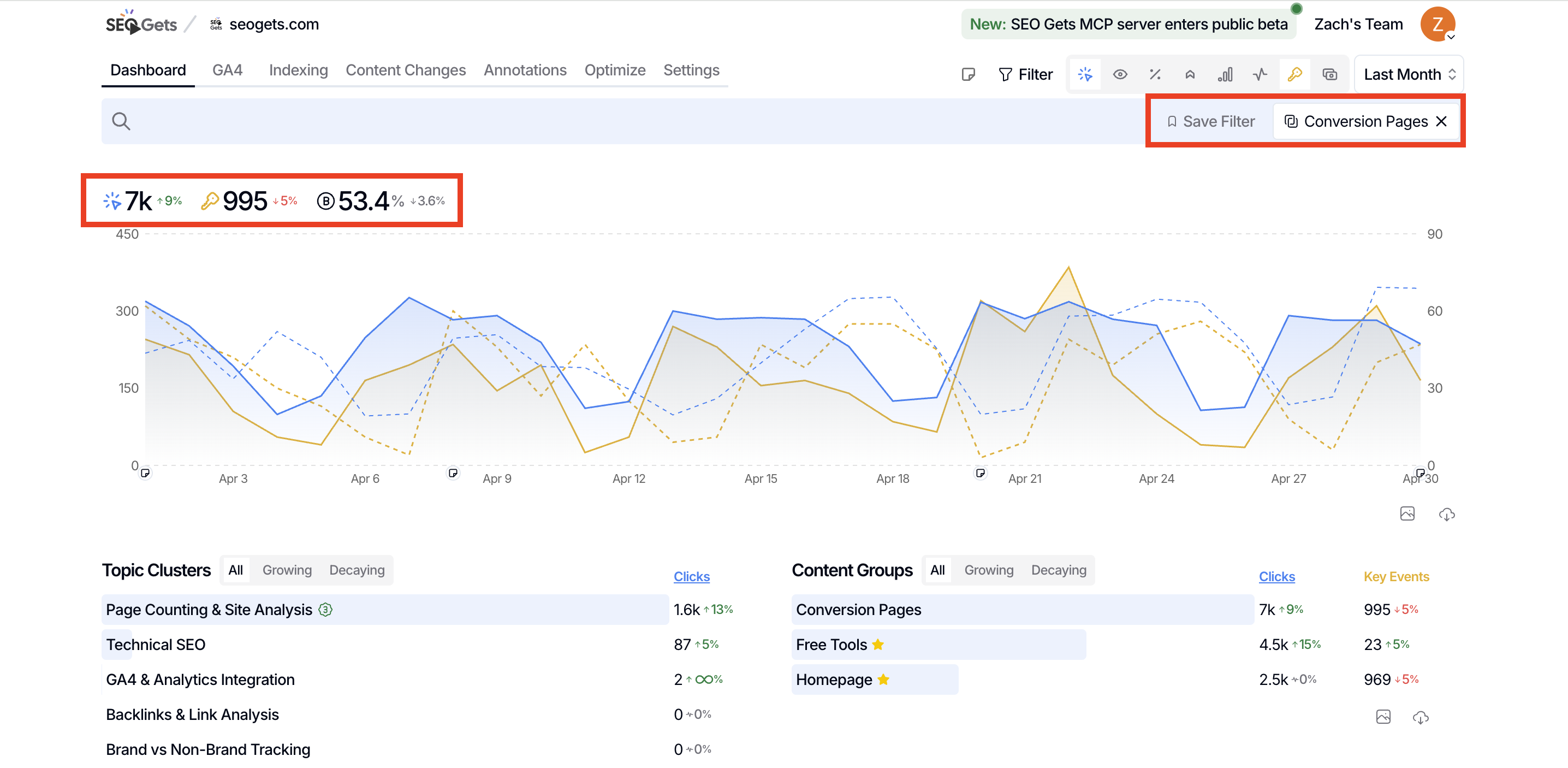
Example: Group all conversion pages together
Use a "contains" regex to capture multiple conversion paths:
/signup/|/demo/|/contact/|/pricing/|/checkout/|/get-started/This creates a single Conversion Pages group you can filter by in reports and on your dashboard.
Use Topic Clusters for conversion-intent keywords
Not every conversion happens on a dedicated conversion page. Some visitors land on blog posts or product pages after searching with clear intent to buy, try, or contact. That's where Topic Clusters shine.
Create topic clusters around conversion-intent keywords like:
"buy" queries: buy, purchase, order, price, pricing
"demo" queries: demo, request demo, book demo, schedule demo
"trial" queries: free trial, start trial, try free, sign up
"contact" queries: contact, get in touch, speak to, talk to
"alternatives" queries: [competitor] alternative, migrate from [competitor], [competitor] vs [your brand]
These clusters help you understand how people search before they convert, even if they don't land directly on a conversion page.
Example: Create a "Purchase Intent" cluster
Build a topic cluster with inclusion keywords:
buy, purchase, order, pricing, price, costOptionally add exclusion keywords to keep out terms that don't fit your targeted intent:
free, cheap, discount, couponThis cluster now tracks all queries where someone is clearly in buying mode—great for understanding commercial intent across your site.
Track CTA performance across multiple groups of pages
You can also use SEO Gets to track CTA performance across groups of pages. If you're testing multiple CTAs across your product pages, alternatives content, blog, or other areas of the site, using CTA-based content groups can be a helpful way to gauge performance.
If you're A-B testing CTAs, this method won't work. The CTAs need to be consistent. However, if you've never tried split testing before, using CTA-based content groups is a great way to validate whether investing in these tools is worthwhile.
Which should you use?
Both approaches work together. Here's how to decide:
Content Groups answer: "How are my conversion pages performing?"
Topic Clusters answer: "Where are people searching with conversion intent?"
If you want to track page performance, start with Content Groups. If you want to understand search intent, build Topic Clusters. Use both for the full picture.
What to do next
Once your conversion groupings are live, filter your dashboard to see:
Which conversion pages attract the most traffic
Which intent keywords drive the most impressions and clicks
Whether conversion content is growing, flat, or declining
For more on grouping content in SEO Gets, see the overview on grouping and tracking content performance.