
Branded vs non-branded filters
The Branded and Non-Branded filters separate data to help you understand user distribution in the funnel, measure brand awareness, and see how much of your traffic comes from people who already know you versus people discovering you for the first time.
Before you start
This filter won't work until you've defined which keywords count as "branded" for your site. If you skip this step, the branded filter will appear disabled with a prompt to set things up first.
Head over to Branded keywords to add your brand terms, product names, and common misspellings. Once that's configured, the filter will automatically match queries against your list.
Apply the Branded Queries filter
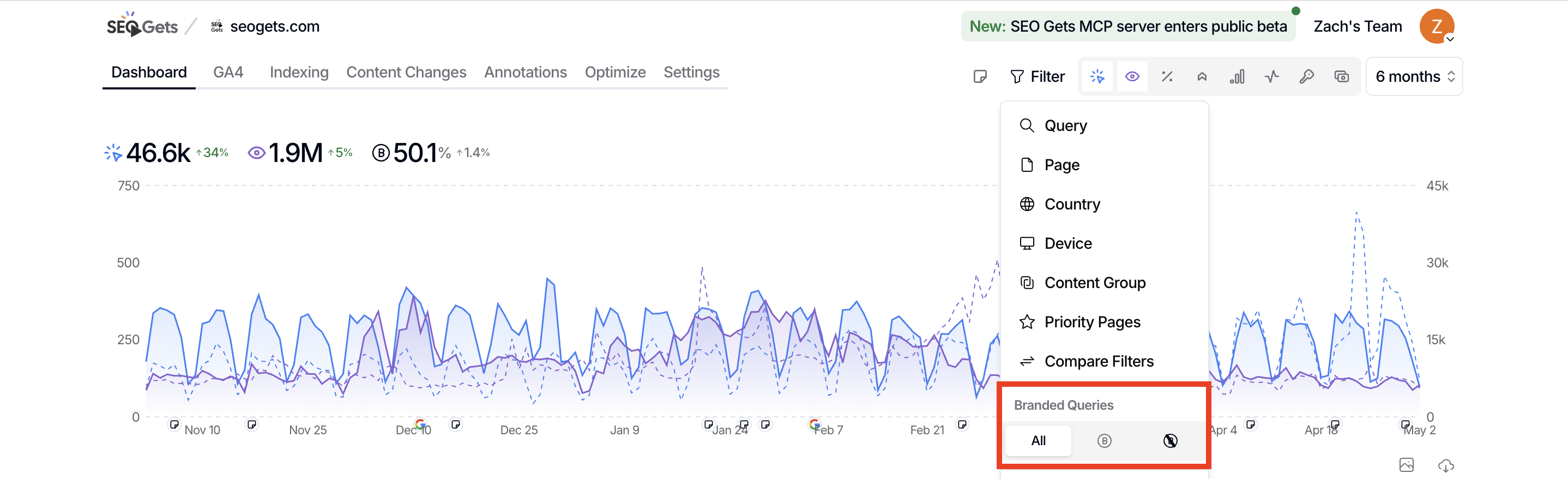
Use this filter when you want to narrow your dashboard view to just branded traffic or just non-branded traffic.
Open the site you want to analyze from your master dashboard.
Click the Filter button at the top of the report to open the filter popover.
Find the Branded Queries section.
Choose your view:
All — Show both branded and non-branded queries (default)
Only Branded Queries — Filter to searches that include your brand terms
Only Non-Branded Queries — Filter to searches that don't match your brand terms
The filter applies instantly. You'll see a chip in the active filter bar showing either Branded Queries or Non-Branded Queries.
Non-branded queries often reveal your best content opportunities—these are people searching for solutions, not your brand name. Use this view to spot content gaps and keyword targets.
Compare branded vs non-branded clicks
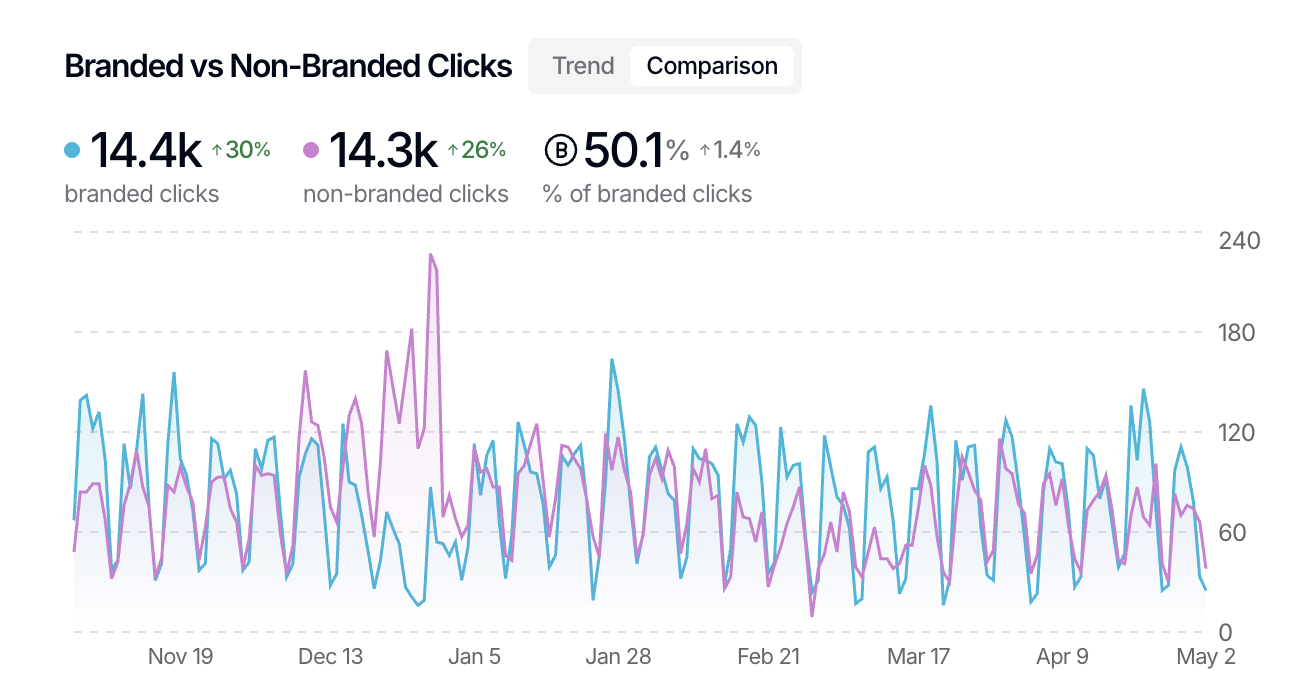
For a higher-level view, SEO Gets includes a built-in report that shows the balance between branded and non-branded traffic as a percentage of total clicks.
Clear any active filters to see your full dataset.
Navigate to Branded vs Non-Branded Clicks from the dashboard view selector.
Review the split to understand how brand awareness compares to organic discovery.
This view is helpful when you're reporting to stakeholders or evaluating whether your brand-building efforts are paying off.
What's next
Once you're comfortable filtering brand vs non-brand, try layering in other filters to dig deeper:
Filter for long-tail and LLM queries to find conversational, question-based searches within your non-branded traffic
Use saved filters to combine branded/non-branded with other dimensions like country or device
Compare date ranges to see if your non-branded traffic is growing over time