
Track 404 errors and hallucinated URLs
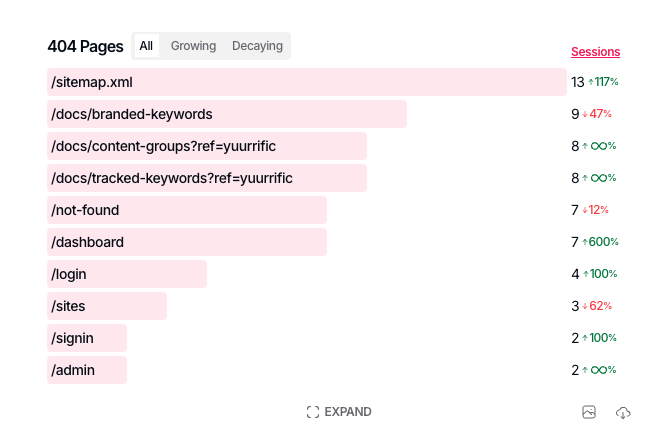
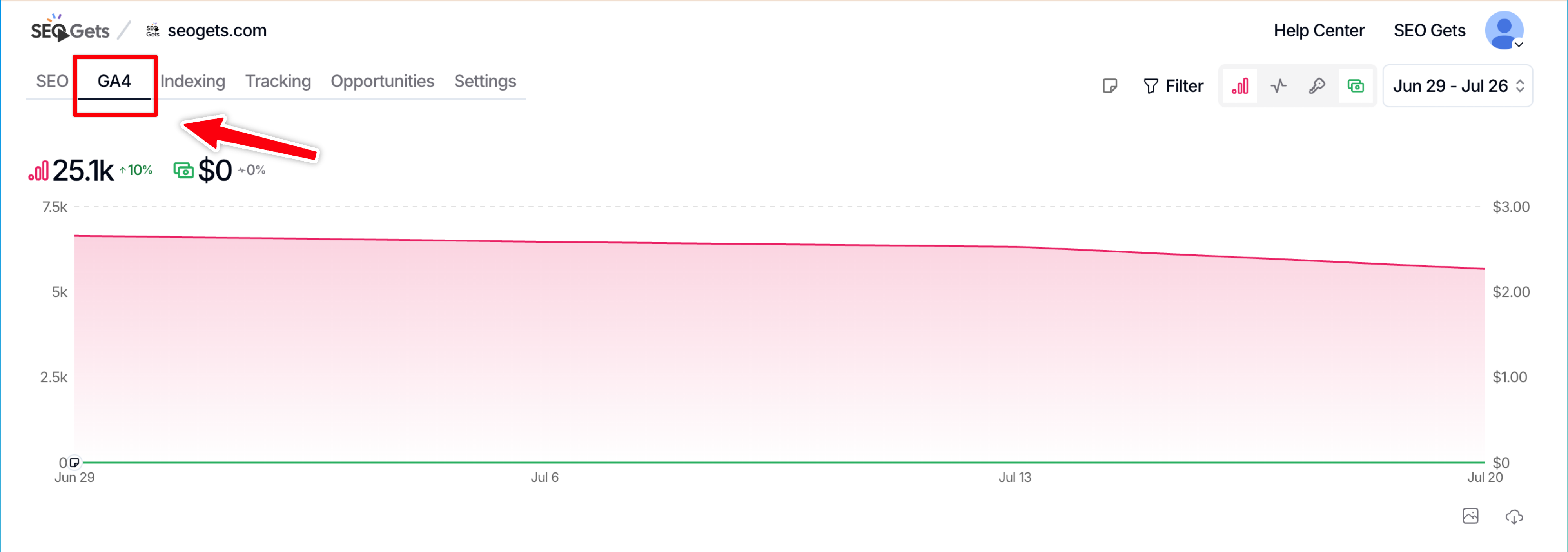
SEO Gets now tracks 404 errors on your site automatically. When page title or screen class contains "page not found," it gets logged in the 404 table in the GA4 dashboard.
No setup required. If GA4 is connected, this is already running.
Why we built the 404 optimization table
404s used to be a "check it if you remember" problem. That's changed.
More traffic now starts inside AI tools like ChatGPT and Perplexity. When these tools recommend a page on your site, they sometimes guess at the URL instead of confirming it exists. That guess is often wrong.
When a user clicks one of these "hallucinated URLs," they can land on a page you never created, resulting in a 404 error. This creates another costly opportunity for 404 errors.
What this table tracks and what to do about it
This table helps surface 404 errors that can be traced back to numerous sources, including:
404 Issue | What to do about it |
|---|---|
Hallucinated URLs from LLM results |
|
URL typos | No action. |
External backlinks pointing to a page that's since moved or been removed | Contact publisher to remove/replace link. |
Pages deleted without a redirect | Depending on intent, no action may be required. Otherwise, implement 301 redirect to related page. |
Slug changes without a redirect | 301 redirect |
URL structure changes during a redesign or CMS migration | Full redirect mapping required. |
Internal links pointing to an old or mistyped URL | Remove or update internal link. |
Old sitemap or navigation entries | Update and republish sitemap. Ensure that old or defunct sitemaps are not indexable. |
Copy-pasted links with a trailing character, extra slash, or wrong case | No action. |
Broken pagination or faceted navigation generating URLs that don't resolve | Audit the source of bad URLs. If generated by internal links, fix the template logic that builds pagination links. If the URLS are indexed but not internally linked, canonicalize or no-index. Add validation server-side to prevent reoccurrence. |
Trailing slash or www/non-www inconsistencies not handled by a redirect rule | Pick one canonical format and enforce it everywhere. If needed, set up a single, permanent redirect rule. |
Where to find it and what you'll see
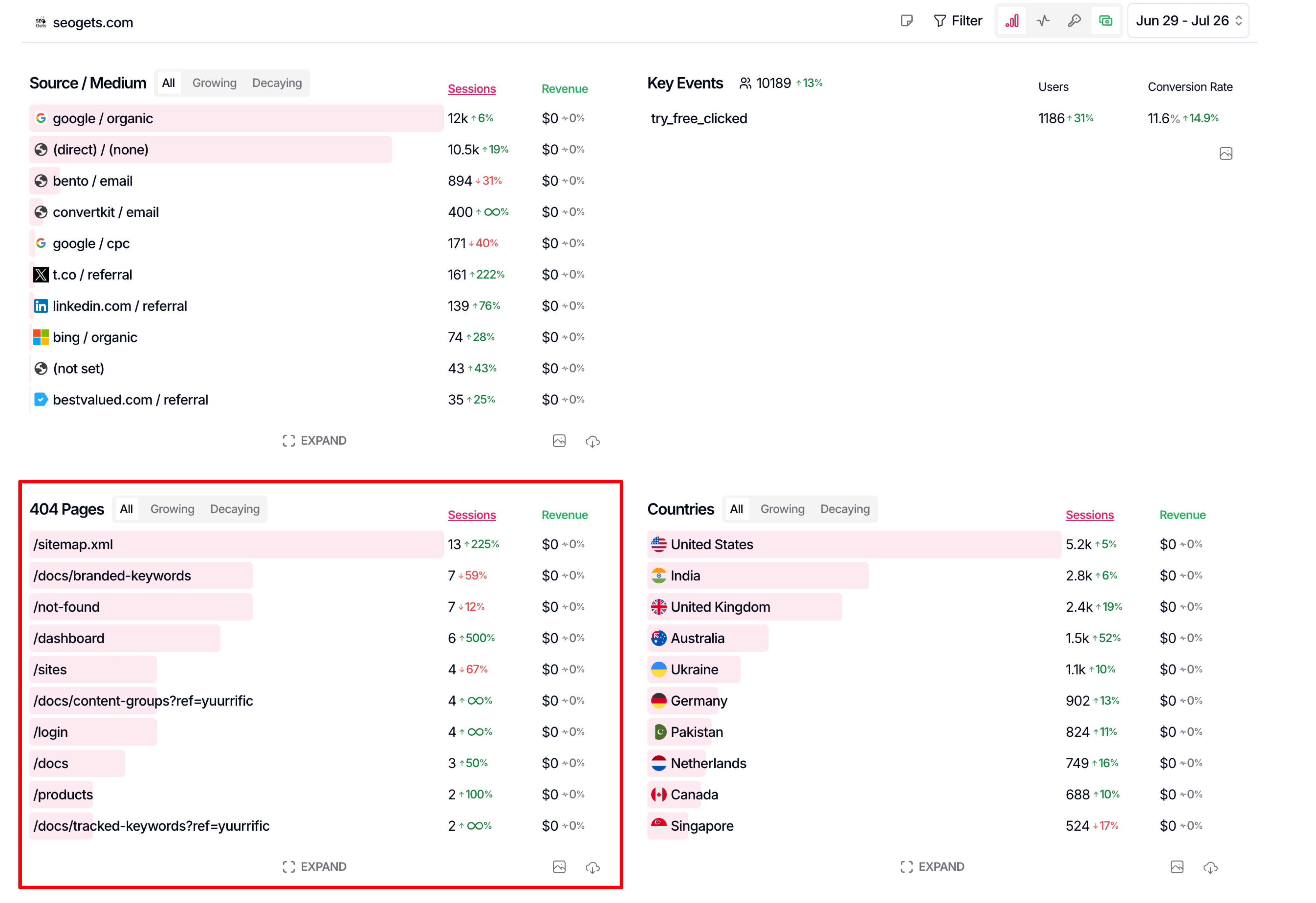
The 404 optimization table can be found in your GA4 dashboard. It shows a list of URLs that generate 404 responses. To confirm, hover your cursor over the row and click the icon to load the URL in a new tab. Toggle to "growing" to see which URLs are repeat offenders. These are the ones you should resolve first.
What this doesn't do
This table tracks and reports. It doesn't redirect anything automatically. If you find a 404 worth fixing, you'll still need to set up the redirect yourself (or route it to your dev team).
We're being deliberate here: not every 404 should disappear. Some are intentional, retired pages, discontinued products, content you want de-indexed rather than resurfaced, etc.
Tips
Check this table periodically, especially after a site migration, URL restructure, or content pruning.
If you notice a spike in 404s that resemble pages you don't have, that's a signal AI tools may be sending traffic to guessed URLs. This is worth noting even though SEO Gets doesn't yet act on it automatically.
Similarly, if you see a spike in 404s, create an annotation to track frequency of hallucinated URLs over time.