
Check AI Credit balance
You can check your AI credits from the Billing & Invoices screen in SEO Gets. This shows how many credits are still available on your account before you use AI-powered features.
AI credits are used for features like one-click topic clusters and content groups. If your plan includes subscription credits, they reset each month (or annually for annual plans)
Check your credit balance
Sign in to SEO Gets.
Check the balances shown there.
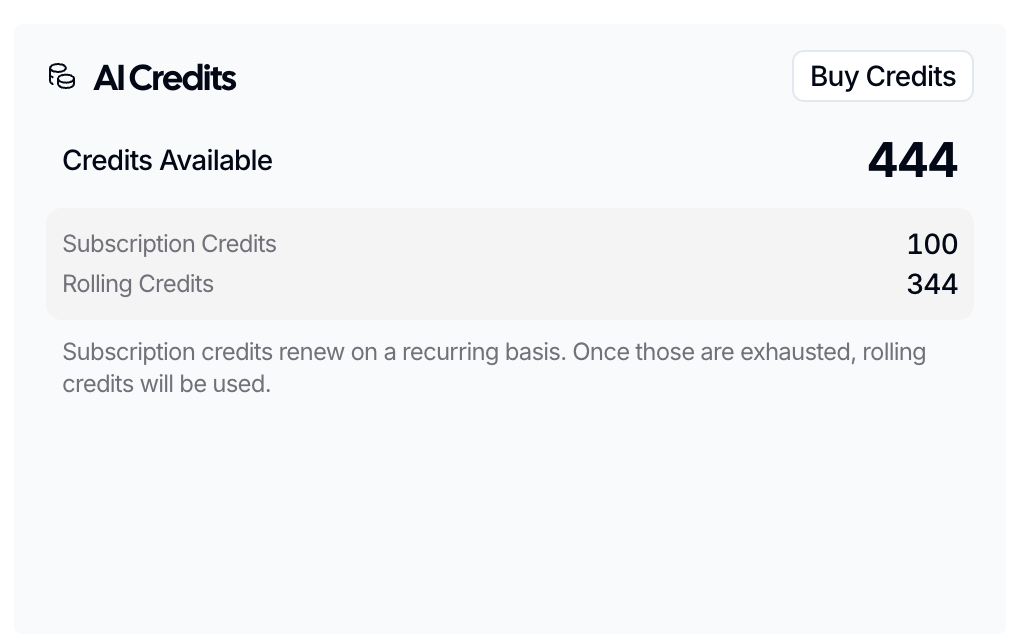
If your account includes subscription credits, this balance shows what you have left in the current cycle. Rolling credits are purchased using the Buy Credits button and rollover from month to month.
If the balance looks wrong
Check to see whether your subscription has renewed yet, since subscription credits reset on renewal. You can also contact support using the in-app chat to request a review of recent AI credit usage and to confirm if your balance is correct.