
By in-house, agency, or contractor
Want to know whether your in-house content or your agency's work is driving better results? Create content groups based on who created the content. This is especially useful if you work with multiple content creators and need to measure which partnerships deliver the best ROI.
Why track content by creator?
When you group content by who created it, you can:
For agencies: Attribute the work you're doing directly to client content performance and results, even across multiple sites.
For in-house teams: Compare outsourced content against in-house work to see which approach performs better.
For consultants: Track and monitor your strategy against the work your clients are executing separately.
This turns a vague question like "is our agency worth it?" into a concrete, data-backed answer.
Set up your creator-based content groups
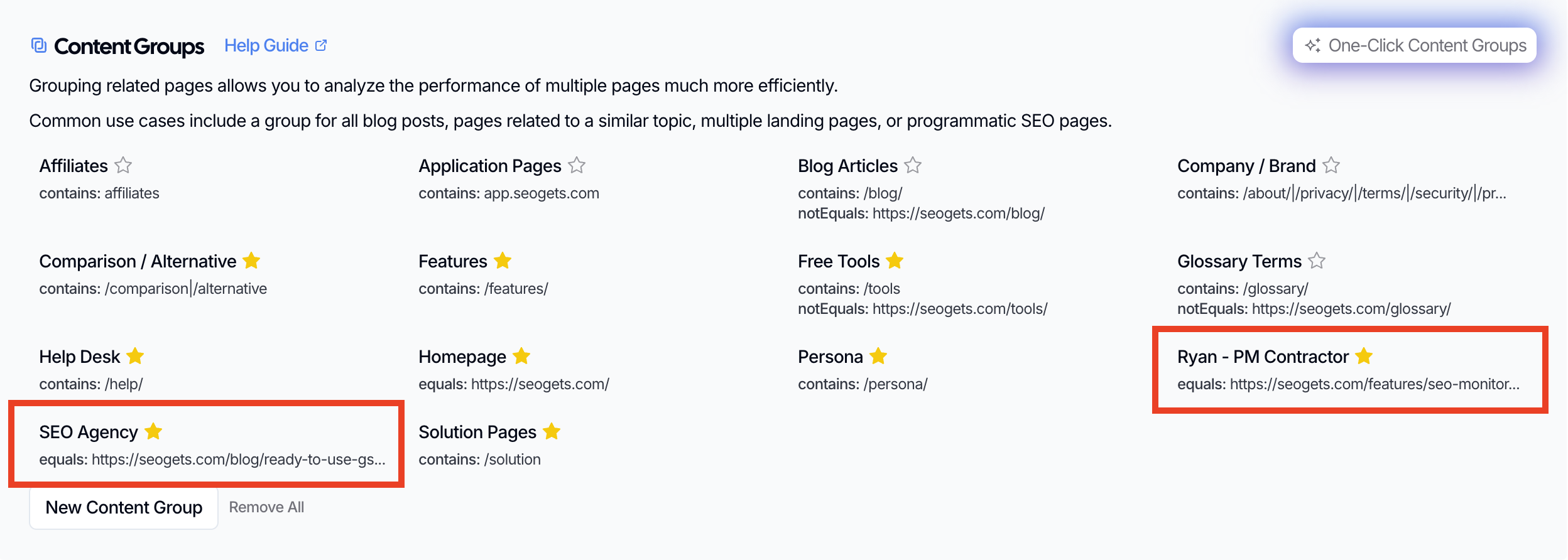
Start by looking at your URL structure. If your agency or contractor content lives in a distinct folder or follows a consistent URL pattern, you can use that to create a content group. For example, if your agency only creates blog content, then a simple /blog/ content group is likely sufficient for tracking performance.
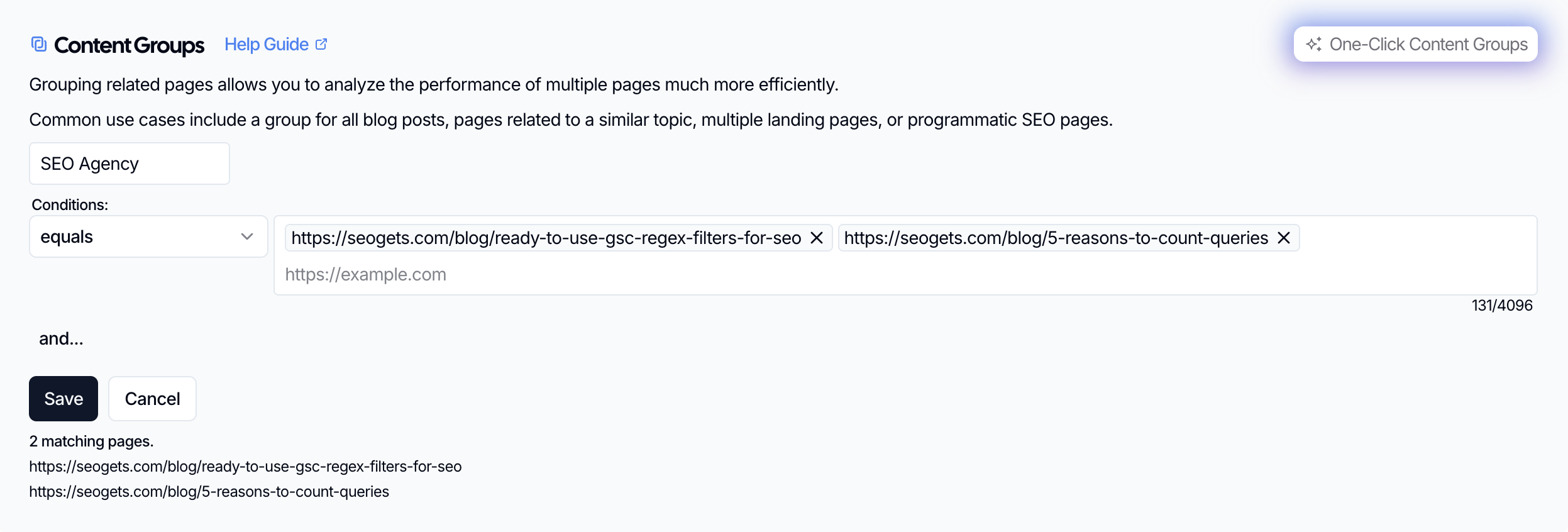
Otherwise, you can maintain a list of URLs that you've created or updated for a custom content group that directly reflects the work you've contributed.
As an agency or consultant, if you lead a high-volume content program, it's possible that you'll hit the API character limitation (4,096 characters) if you need to match URLs across numerous subfolders. If this is the case, upgrade to a Super Site to remove this limitation.
Additional strategies for building content groups to track performance across multiple creators
If your in-house and agency content are mixed together without distinct URL patterns, you have a few options:
Create a content group using regex to match specific URLs you know were created by your agency (e.g., listing individual article URLs separated by
|).Tag content in your CMS with the creator and export that list to build your SEO Gets content group.
Start using distinct URL patterns going forward for new content, even if you can't retroactively organize older pages.
It's easier to set this up before you create content than to untangle mixed URLs later. If you're planning an agency relationship, agree on a URL structure upfront.
Use your source groups to evaluate performance
Once your groups are set up, filter your dashboard or reports by each content group to compare:
Traffic growth: Is agency content growing faster or slower than in-house content?
Keyword rankings: Which source is capturing more valuable keywords?
Click-through rates: Is one creator producing better-performing titles and meta descriptions?
Decay signals: Is outsourced content aging faster and needing refreshes?
This helps you have data-driven conversations with your agency or contractors—and make better decisions about where to invest your content budget.
What to do next
After you've grouped content by creator, you can dig deeper into what's working:
Read the full guide on setting up content groups for detailed steps and regex tips.
See the overview on grouping and tracking content performance to learn about other ways to organize your content.