
Book a demo
You can book a personal demo with the SEO Gets team by:
Visiting our homepage and selecting the Book a Demo button
Clicking the Book a Demo button in our virtual assistant
Scheduling directly from this page (see below)
How to schedule a demo
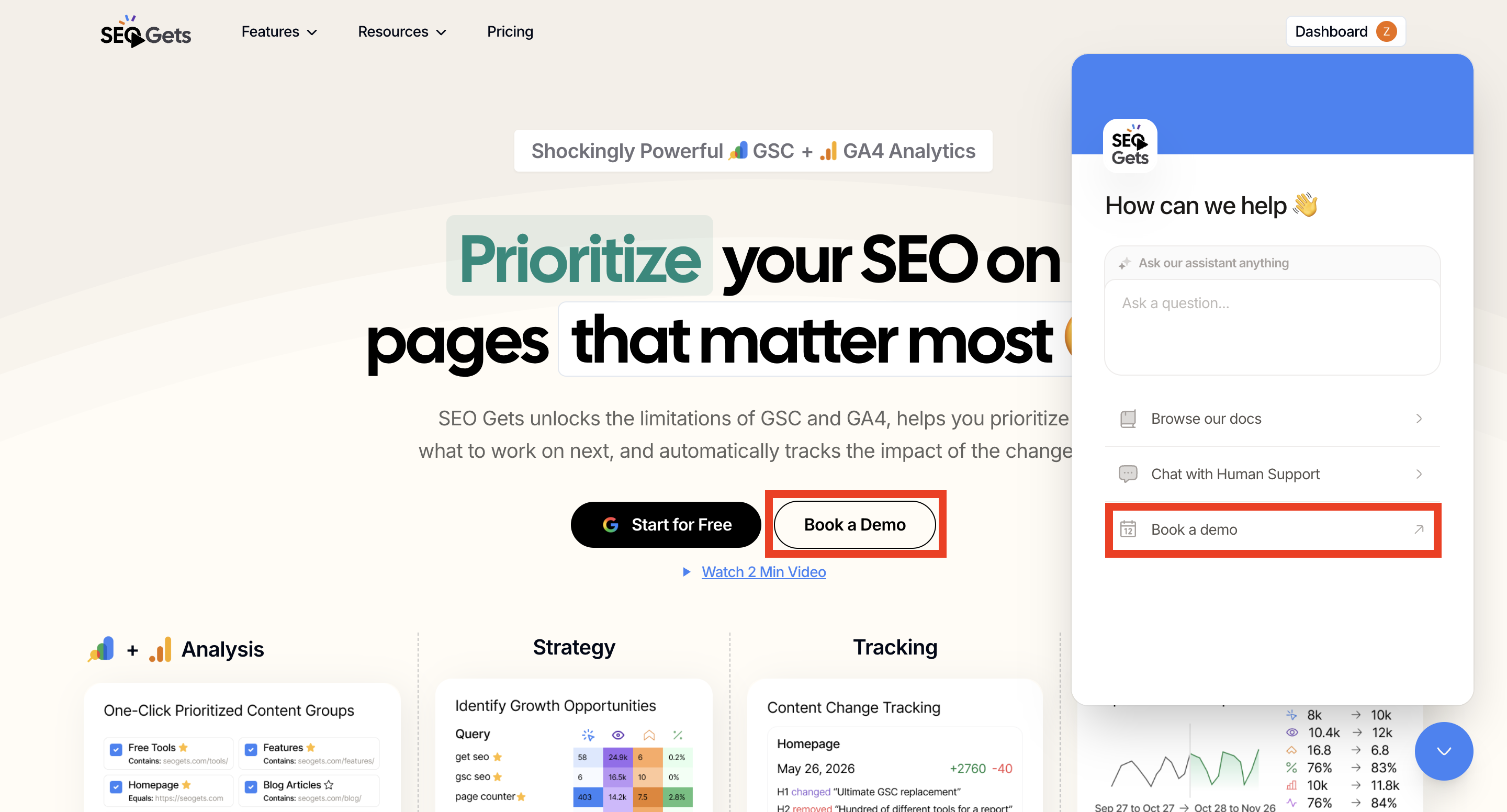
Go to seogets.com.
Click the Book a Demo button.
Pick a time that works for you on the Cal.com booking page.
Fill in your details and confirm the appointment.
Alternatively, you can access the Book a Demo button via our virtual assistant.
That's it — we'll see you there and walk you through everything SEO Gets can do for your sites.
Schedule a demo now
Want to book time with our team now? Use the scheduler below.
Was this helpful?
Was this helpful?